

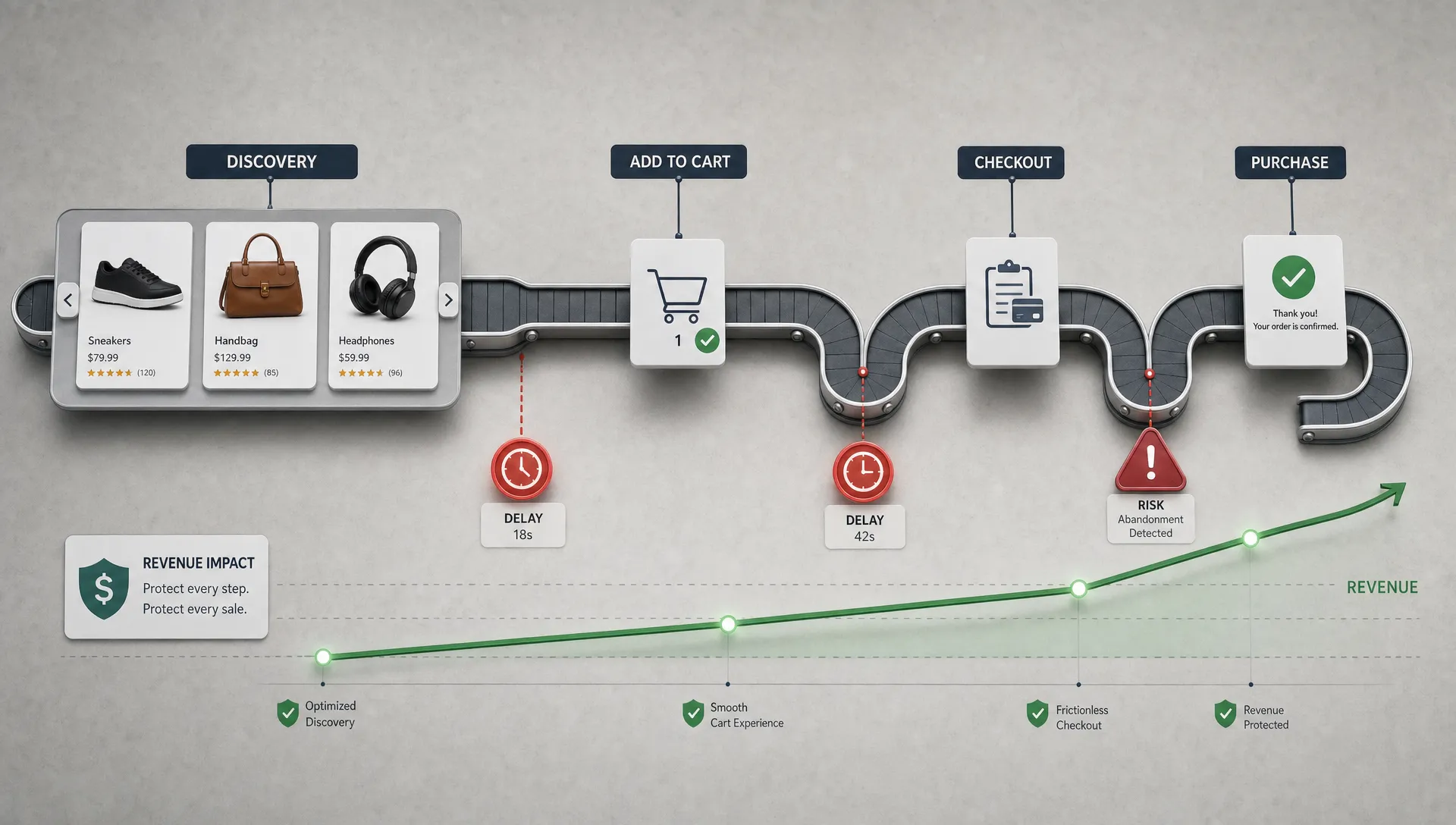
Retail teams rarely lose revenue because of one dramatic failure. More often, the damage comes from small points of friction that compound across thousands of sessions: a product listing page that loads slowly on mobile, a cart button that responds late, a checkout layout that jumps, a personalization script that blocks rendering or a campaign page that struggles during a traffic spike.
That is why website performance optimisation should be treated as revenue protection, not a technical housekeeping task. For retail brands, performance sits at the intersection of conversion, paid media efficiency, search visibility, operational stability and customer trust. A faster storefront is valuable, but a resilient, measurable and governed storefront is what protects revenue over time.
Why retail performance is a revenue risk
Retail websites are not static brochures. They are transaction systems, merchandising surfaces, customer service channels and data collection engines all at once. Every second of delay or moment of instability can affect shopper behavior, but the commercial impact varies by page type, traffic source and intent.
A slow homepage may weaken first impressions. A slow product listing page can reduce product discovery. A slow product detail page can lower add-to-cart rates. A slow checkout can turn high-intent shoppers into abandoned carts. During promotional periods, these issues become more expensive because traffic costs, operational pressure and customer expectations rise at the same time.
Performance also affects teams beyond engineering. Merchandising teams need campaign pages to hold up under demand. Marketing teams need landing pages that do not waste paid traffic. Finance teams need fewer revenue leaks. Customer support teams need fewer complaints during peak periods. Leadership needs confidence that site improvements will survive the next deployment, integration change or seasonal rush.
Redefining performance around revenue protection
Traditional performance programs often start with a dashboard score, then move into a list of technical fixes. That can help, but it can also send teams toward low-value work. A retail homepage with a poor lab score may deserve attention, but it may not be the biggest risk if mobile checkout latency is quietly suppressing completed orders.
A revenue-protective approach starts with three questions:
- Which journeys generate or protect the most revenue?
- Which performance problems are most visible to shoppers?
- Which fixes reduce future operational risk, not just today’s load time?
This shifts website performance optimisation from “make the site faster” to “protect the moments where speed, stability and confidence influence buying decisions.” Core Web Vitals still matter, especially Largest Contentful Paint, Interaction to Next Paint and Cumulative Layout Shift. The difference is that retail teams should interpret those metrics by template and commercial context. For a deeper breakdown of ecommerce thresholds by page type, Space Dinosaurs has covered the Core Web Vitals benchmarks that matter for ecommerce.
| Performance signal | Revenue risk it can expose | Retail area to monitor |
|---|---|---|
| Slow server response | Pages start late, especially during traffic spikes | Homepage, campaign pages, checkout |
| Poor LCP | Key content appears too slowly for shoppers to act | Product listing pages and product detail pages |
| Poor INP | Taps, filters, cart actions or checkout inputs feel delayed | Mobile navigation, filters, cart and checkout |
| High CLS | Buttons, prices or forms shift unexpectedly | Product cards, promotions, checkout forms |
| JavaScript errors | Features fail silently and block progression | Search, personalization, payments, analytics |
| Third-party latency | Tags delay rendering or create inconsistent behavior | Advertising, reviews, chat, testing tools |
| API instability | Product, cart or payment actions fail or stall | Inventory, promotions, payment and order flow |
The retail journeys that deserve priority
Not every template deserves the same level of investment. Revenue protection requires prioritization. A practical performance roadmap usually starts with the journeys where intent is highest or paid acquisition costs are most exposed.
Product discovery pages
Category pages, search results and product listing pages shape the shopper’s first meaningful interaction with the catalog. These pages often carry heavy image loads, filtering logic, sorting tools, personalization modules and analytics tags. If the page feels sluggish, shoppers may never reach the product detail page.
The goal is not just a faster first render. Discovery pages need responsive filters, stable product grids and fast transitions from browse to evaluation. On mobile, small interaction delays can make the entire catalog feel harder to use.
Product detail pages
Product detail pages carry the burden of persuasion. Images, price, availability, reviews, variants, delivery promises and add-to-cart actions all compete for attention. Performance issues here are especially costly because shoppers have already expressed interest.
Revenue-protective optimisation focuses on getting decisive content visible quickly and ensuring interaction points work reliably. That includes variant selectors, size guides, subscription options, inventory messages and the add-to-cart button.
Cart and checkout
Checkout is where performance becomes most directly tied to revenue. The shopper has already done the work of choosing. At this stage, every delay feels more consequential because it interrupts commitment.
Retail teams should monitor latency from cart updates, promotion code validation, address lookup, shipping calculation and payment authorization. These steps often depend on multiple systems, so performance work must include front-end behavior, backend response times and integration reliability.
Campaign and peak trading pages
Peak moments reveal weaknesses that normal traffic may hide. Product drops, flash promotions, holiday sales and influencer campaigns can push storefronts, APIs, CDNs, payment services and customer support channels at the same time.
Performance planning for these moments should include load testing, rollback plans, third-party tag reviews and business continuity thinking. Retailers that depend on distributed operations, contact centers or regional support teams may also need coordination with a managed technology partner such as Shring Technologies for proactive IT support, cybersecurity and business continuity so the broader operating environment can support digital demand.
From one-time fixes to an optimisation system
Website performance optimisation protects revenue best when it becomes an operating system, not a cleanup project. Retail websites change constantly. Teams launch campaigns, add tracking tags, test new features, update apps, change product media and integrate new tools. Without governance, performance gains erode.
A durable system combines measurement, ownership and guardrails.
Measure real users, not only lab tests
Lab tools are useful because they make problems easier to reproduce. They are not enough on their own. Retail performance varies by device, network, geography, browser, traffic source and customer segment. Real user monitoring gives teams a better view of how shoppers actually experience the site.
For example, a page may perform well on a desktop connection in testing but struggle for mobile shoppers arriving from paid social. That matters because mobile sessions often represent a large share of retail traffic, and paid traffic carries a direct acquisition cost.
Assign ownership by journey
Performance issues often get stuck between teams. Engineering owns code, marketing owns tags, merchandising owns content, UX owns interaction patterns and platform teams own infrastructure. Shoppers experience all of it as one site.
Assigning ownership by journey helps. A product discovery owner can track listing page speed, filter responsiveness and product grid stability. A checkout owner can monitor payment latency, form responsiveness and error rates. A campaign owner can coordinate creative assets, tracking tags and traffic forecasts before launch.
Set performance budgets that match business priorities
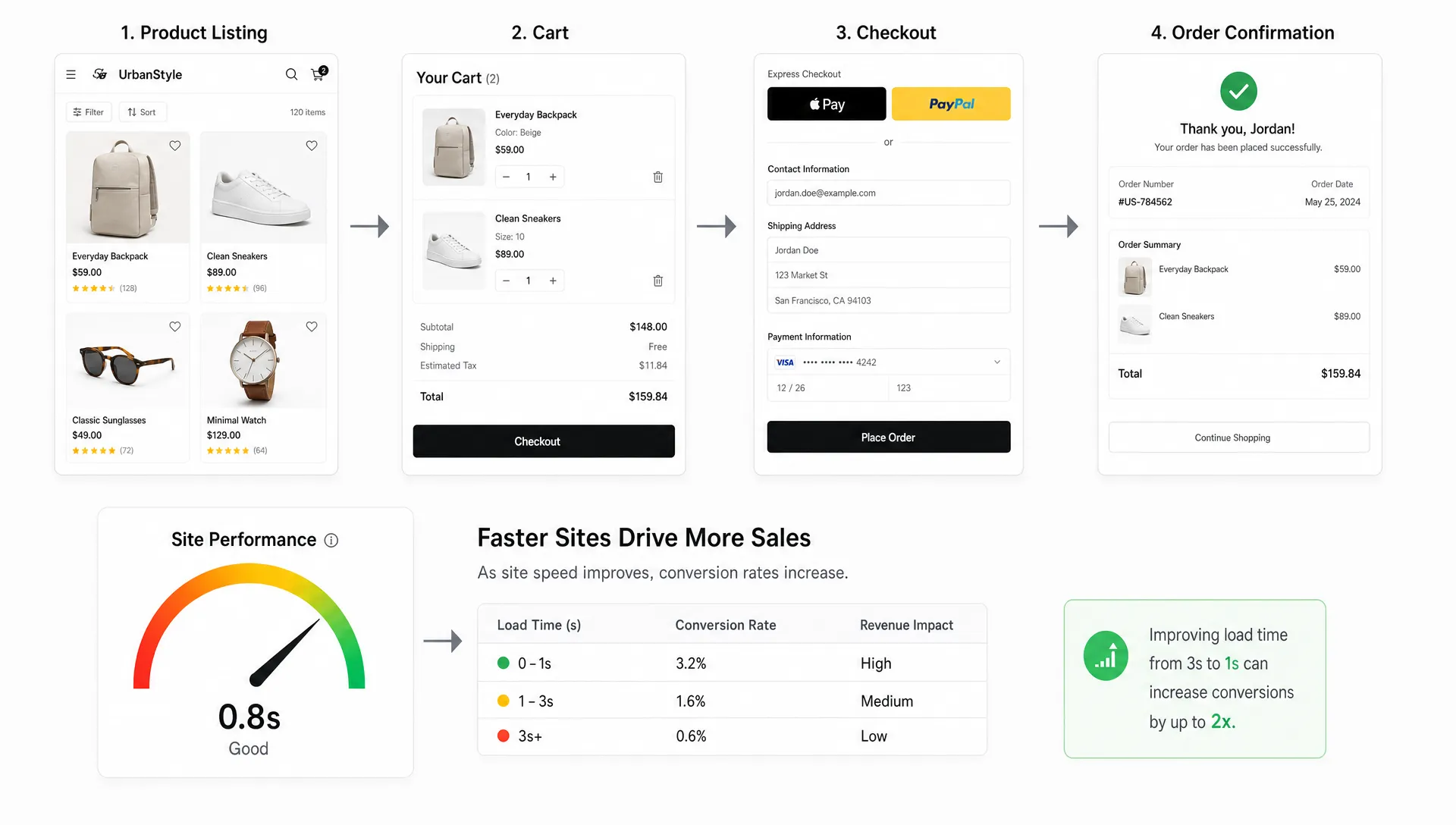
A performance budget is a rule that defines how much complexity a page can carry before it becomes risky. The budget can apply to JavaScript, image weight, third-party tags, API latency or layout stability. The point is not to block every new idea. It is to force trade-off discussions before revenue is affected.
| Budget area | What the rule controls | Why it protects revenue |
|---|---|---|
| JavaScript | Amount and priority of scripts loaded on key pages | Keeps pages interactive and reduces main-thread delays |
| Images and media | File size, format, lazy loading and display dimensions | Improves visual load time without weakening product presentation |
| Third-party tags | Number, timing and business justification of external scripts | Prevents marketing and analytics tools from slowing transactions |
| API calls | Response time and reliability for commerce services | Reduces friction in cart, inventory, shipping and payment flows |
| Layout stability | Space reserved for images, banners and dynamic modules | Prevents accidental clicks and checkout frustration |
| Release gates | Performance checks before deployment | Stops regressions from reaching shoppers |
Retail teams looking for a more tactical list of front-end improvements can use this guide to website speed optimization fixes that improve conversions as a companion to the operating model above.
The hidden revenue leaks performance can prevent
Performance problems are not always obvious in aggregate conversion rate. A site can appear stable overall while specific customer segments experience costly friction. Paid mobile traffic may convert below potential. Returning customers may struggle with account pages. Shoppers using older devices may abandon product listing pages before engaging. Cart abandonment may rise only when certain payment options are selected.
This is why performance analysis should be paired with funnel analytics. When teams connect technical signals to commercial outcomes, they can distinguish between cosmetic improvements and revenue protection.
Useful questions include:
- Do slower product listing page sessions produce fewer product detail page views?
- Does poor interaction responsiveness correlate with lower add-to-cart rates?
- Are checkout errors or delays concentrated by browser, device or payment method?
- Do third-party tags slow only certain traffic sources or campaign pages?
- Do performance regressions appear after specific releases or merchandising updates?
This level of analysis also keeps teams from treating performance and conversion rate optimization as separate workstreams. A faster page that still confuses shoppers will leave money on the table. A clearer page that loads slowly will do the same. The most valuable improvements usually sit where speed, UX and commercial intent overlap.
How to make performance visible to leadership
Retail executives do not need every technical detail. They do need to know which performance risks threaten revenue, what it costs to ignore them and which actions will protect growth. The translation layer matters.
Instead of reporting only Lighthouse scores or average load times, connect performance to commercial KPIs. Segment results by template, device and traffic source. Show before-and-after changes when a fix ships. Flag regressions quickly, especially when they affect paid campaigns or checkout.
| Leadership metric | What it reveals | How to use it |
|---|---|---|
| Conversion rate by speed segment | Whether faster sessions convert better | Prioritize templates where the gap is largest |
| Revenue per visitor by device | Whether mobile performance is limiting value | Fund mobile-first fixes and testing |
| Checkout completion by latency band | Whether backend or integration delays suppress orders | Focus engineering on transaction-critical services |
| Paid traffic bounce or exit rate | Whether media spend is being wasted by slow pages | Coordinate landing page work with campaigns |
| Regression frequency | Whether releases are harming performance | Add stronger deployment checks and ownership |
This framing turns performance into a business conversation. It also helps teams defend technical work that may not look exciting but directly protects revenue.
A practical 90-day plan for retail teams
A revenue-focused performance program does not need to start with a platform rebuild. Many teams can make meaningful progress in 90 days by sequencing the work carefully.
Days 1 to 30: Find the revenue risk
Start by mapping the top revenue journeys and identifying the templates that matter most. Pull performance data by device, page type and traffic source. Compare slow sessions with conversion outcomes where possible. Review third-party scripts, recent releases and known customer complaints.
The output should be a ranked list of risks, not a generic backlog. For example, “mobile product listing pages from paid social have poor interaction responsiveness and low product detail page progression” is more useful than “improve site speed.”
Days 31 to 60: Fix what shoppers feel
Focus on improvements that affect visible content, interaction responsiveness and transaction flow. Common areas include image delivery, JavaScript execution, tag loading, caching, API response times and layout stability. Pair engineering fixes with UX review so faster experiences also feel clearer.
This is also the right time to remove low-value complexity. Retail sites accumulate scripts, apps, banners and experiments. If a component does not support revenue, measurement, compliance or customer experience, it should earn its place.
Days 61 to 90: Prevent regressions
Once the first fixes are live, make them stick. Add performance checks to release workflows. Create budgets for critical templates. Review third-party additions before launch. Build dashboards that show both technical and commercial impact. Assign owners for product discovery, product detail, cart, checkout and campaign experiences.
If conversion leakage is already a known issue, performance work should sit alongside broader funnel improvement. Space Dinosaurs has also covered how conversion optimization services reduce revenue leaks across the ecommerce journey.
What strong performance governance looks like
Strong governance is not bureaucracy. It is the discipline that keeps storefronts fast and stable as the business evolves.
A healthy governance model includes clear standards for critical templates, a documented process for adding third-party tools, performance checks before major releases and regular reviews of real user data. It also includes cross-functional decision-making. Marketing, merchandising, UX, analytics and engineering all influence performance, so they should all understand the trade-offs.
This is especially important for composable commerce environments. Composable stacks can give retailers flexibility, but flexibility increases coordination demands. A product experience may depend on a frontend framework, CMS, search provider, personalization engine, commerce platform, payment provider and analytics stack. Performance protection requires understanding how those pieces behave together under real shopping conditions.
Frequently Asked Questions
What is website performance optimisation for retail? Website performance optimisation for retail is the process of improving speed, responsiveness, stability and reliability across ecommerce journeys in a way that supports conversion, retention and revenue protection.
Which performance metrics matter most for ecommerce revenue? Core Web Vitals such as LCP, INP and CLS matter because they reflect loading speed, responsiveness and layout stability. Retail teams should also monitor server response time, JavaScript errors, checkout latency, API reliability and performance by page type.
Should retailers optimize the homepage first? Not always. The homepage may be important for brand discovery, but revenue risk is often higher on product listing pages, product detail pages, cart and checkout. Prioritization should follow traffic value, shopper intent and conversion impact.
How often should performance be reviewed? Critical ecommerce templates should be monitored continuously, with formal reviews after major releases, campaign launches and seasonal peaks. Performance should also be checked before adding new tags, apps or personalization features.
Can performance optimisation improve paid media efficiency? Yes. Faster, more stable landing pages can reduce wasted clicks and help more paid visitors reach product and checkout steps. The impact is strongest when performance data is analyzed by campaign, device and landing page.
Protect revenue before performance becomes a crisis
Retail growth depends on more than traffic. If the storefront is slow, unstable or overloaded with unmanaged complexity, revenue leaks through the customer journey long before the team sees a major outage.
Space Dinosaurs helps retail brands modernize ecommerce experiences with AI-enabled engineering, UX design, analytics, performance optimization and ongoing improvement. If your team needs a faster, more resilient storefront that supports conversion and lowers operational drag, website performance optimisation is one of the highest-leverage places to start.