

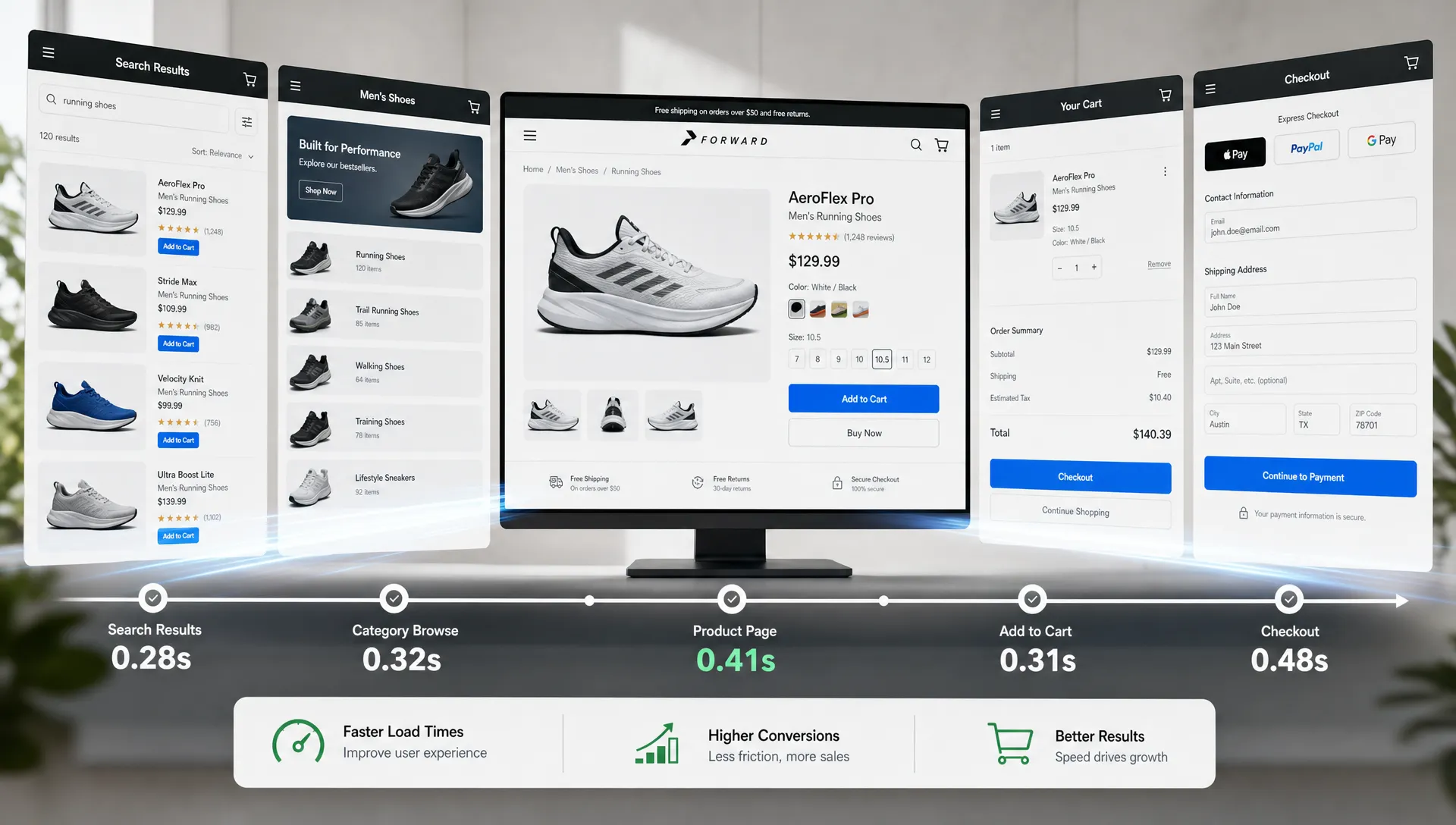
Website speed optimization is one of the few conversion levers that improves almost every part of an ecommerce funnel at once. Faster pages reduce hesitation, make product discovery feel easier, protect paid traffic ROI, and lower the chance that a shopper abandons before seeing the offer.
The key is to stop treating speed as a technical score and start treating it as a revenue workflow. A perfect Lighthouse score on the homepage matters less than a mobile product page that loads the main image quickly, a category page that filters without freezing, and a checkout that responds instantly when someone selects shipping or payment.
Google has long reported that 53% of mobile visits are abandoned if a page takes longer than three seconds to load, and that bounce probability rises sharply as load time increases, according to Think with Google research. That does not mean every site needs the same fixes. It means performance work should be prioritized where delay meets purchase intent.
Below are the website speed optimization fixes most likely to improve conversions, especially for retail and ecommerce teams.
Start with revenue pages, not vanity scores
Before changing code, identify the templates that carry the most commercial weight. For most retail brands, that means product listing pages, product detail pages, cart, checkout, search results, and campaign landing pages. These are the places where speed issues directly interrupt buying behavior.
A practical performance audit should answer four questions:
- Which pages are slowest for real users on mobile?
- Which slow pages also have high commercial intent?
- Which speed metrics correlate with lower add-to-cart rate, checkout start rate, or revenue per session?
- Which fixes can be shipped safely without disrupting merchandising, tracking, or personalization?
This is where lab tools and real-user monitoring play different roles. Lab tools such as Lighthouse are useful for diagnosis, but field data shows what actual shoppers experience across devices, browsers, geographies, and network conditions. If you only test from a fast office connection on a new laptop, you will miss the friction that affects a large share of mobile revenue.
For a deeper first-pass process, Space Dinosaurs breaks down what to inspect in a performance and revenue leak audit, including funnel data, Core Web Vitals, third-party scripts, and UX friction.
Know which speed metrics map to conversion behavior
Core Web Vitals are useful because they translate abstract performance into user experience. Google’s web.dev guidance defines good thresholds for the main metrics: Largest Contentful Paint at 2.5 seconds or faster, Interaction to Next Paint at 200 milliseconds or faster, and Cumulative Layout Shift at 0.1 or lower.
Those targets are not magic conversion guarantees, but they are strong indicators of whether shoppers can see, interact with, and trust the page.
| Metric | Good target | What it means for shoppers | Where it often affects conversions |
|---|---|---|---|
| LCP | 2.5 seconds or faster | The main content appears quickly | Homepage hero, PLP hero area, PDP image and title |
| INP | 200 ms or faster | Taps, clicks, and typing feel responsive | Filters, menus, add-to-cart, checkout forms |
| CLS | 0.1 or lower | The page does not jump unexpectedly | Product media, promo bars, review widgets, payment buttons |
| TTFB | 800 ms or faster is a common goal | The server responds quickly | First page load, search, category pages, cart |
| JavaScript long tasks | Lower is better | The browser is not locked up | Mobile navigation, personalization, checkout |
If you want a metric-by-metric ecommerce breakdown, the Space Dinosaurs guide to Core Web Vitals for ecommerce explains which templates matter most and why homepage-only optimization often misses the real revenue opportunity.
Fix 1: Make the main product or offer visible first
Largest Contentful Paint is often the first conversion-critical fix because it controls how quickly shoppers understand where they are and what is being offered. On a product page, the LCP element is commonly the main product image. On a landing page, it may be the hero image or primary headline block.
Common LCP fixes include serving properly sized responsive images, using modern formats such as WebP or AVIF, compressing without destroying product detail, preloading the correct hero image, and avoiding lazy loading for above-the-fold visuals. Many ecommerce sites accidentally lazy-load their most important image, which delays the exact asset that should appear first.
Retail teams should also check whether desktop creative is being forced onto mobile. A beautiful oversized campaign image can become a conversion tax if it blocks the product grid, delays the headline, or consumes bandwidth before the shopper sees anything useful.
The conversion principle is simple: the faster shoppers can confirm relevance, the faster they can continue toward a product decision.
Fix 2: Reduce render-blocking CSS and JavaScript
A page can receive the first bytes quickly and still feel slow if the browser is waiting on heavy CSS or JavaScript before it can render meaningful content. This is especially common on ecommerce sites with legacy themes, multiple tag managers, personalization tools, chat widgets, review scripts, and A/B testing platforms.
The best fix is not always to remove functionality. It is to sequence it properly. Critical CSS should support the first visible experience. Non-critical CSS can be deferred. JavaScript should be split by route or template so that checkout does not load code needed only for the homepage carousel, and a PDP does not load unused logic from a rarely used campaign module.
High-impact actions include removing unused libraries, deferring non-essential scripts, splitting bundles by page type, and loading interactive components only when they are needed. On mobile, reducing JavaScript execution time can directly improve INP, which means shoppers experience less delay when opening navigation, selecting variants, applying filters, or tapping add to cart.
Fix 3: Treat third-party scripts as revenue tradeoffs
Third-party scripts are often the hidden reason a site feels slower than its architecture suggests. Analytics, attribution, pixels, heatmaps, chat, loyalty widgets, recommendation engines, review platforms, and consent tools can all be valuable. But each one competes for network, CPU, and attention.
The mistake is allowing every tool to load everywhere by default. A review widget may be useful on a PDP, but unnecessary on checkout. A chat tool may support high-consideration products, but it should not delay the first product image. A testing platform may be essential, but old experiments and unused snippets should not live forever.
Review every third-party script with three questions: who owns it, what business outcome does it support, and does it need to load before the shopper can interact? If no one can answer, it is a candidate for removal, delay, or template-level restriction.
Speed also cannot compensate for unqualified traffic. If your brand also runs B2B, wholesale, or sales-assisted campaigns, pair faster landing pages with reliable demand generation, such as qualified sales call generation systems that keep pipeline quality aligned with the pages you are optimizing.
Fix 4: Improve server response and caching
Time to First Byte is not always visible to marketers, but shoppers feel it as a blank wait before the page starts loading. Slow server response can come from uncached pages, overloaded infrastructure, inefficient backend queries, slow APIs, or a composable stack that makes too many sequential requests before rendering.
For ecommerce, caching needs nuance. Product availability, pricing, promotions, and personalization may change frequently, but that does not mean every part of every page must be generated from scratch. Static assets, category structures, product imagery, and many content blocks can often be cached aggressively. Dynamic data can be fetched separately, streamed, or updated at the edge depending on the stack.
The goal is not caching for its own sake. The goal is to get the first useful view in front of the shopper quickly while preserving accurate commerce data.
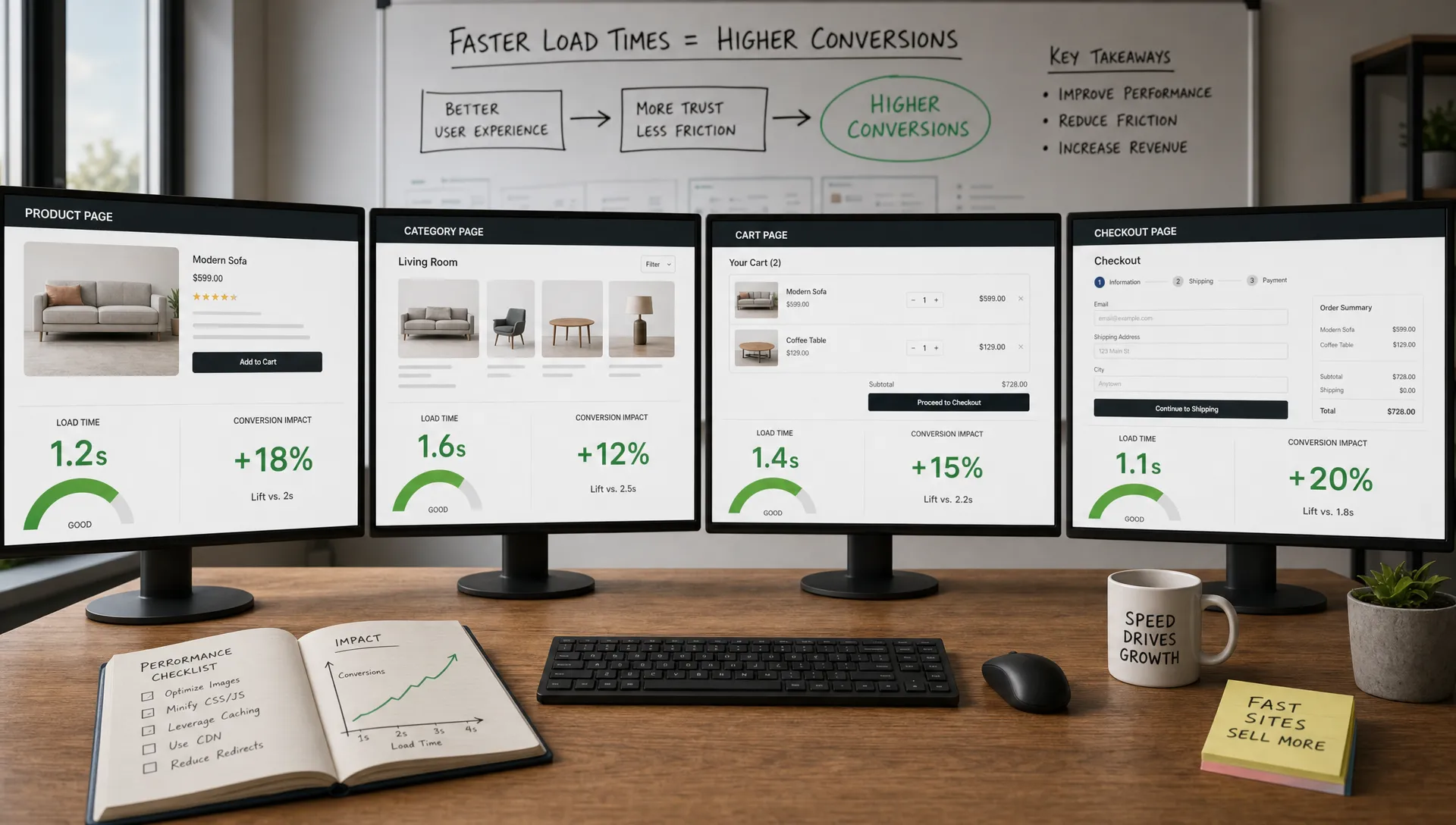
Fix 5: Speed up product listing pages and search
Product listing pages are often underestimated. They may not feel as emotionally important as product pages, but they shape discovery. If filters lag, sort options freeze, or infinite scroll stutters, shoppers lose momentum before they find the item they might buy.
Fast PLPs need optimized product images, stable card dimensions, responsive filters, and efficient search or merchandising queries. Avoid loading every product image at full resolution. Reserve space for product cards so the grid does not jump. Debounce filter inputs so the page does not fire unnecessary requests while a shopper is still making a selection.
For large catalogs, search performance matters as much as search relevance. A great algorithm loses value if results take too long to display. Use loading states carefully, keep the interface responsive, and make sure mobile users can refine results without fighting the browser.
A fast PLP improves conversions by helping shoppers reach the right PDP with less effort. It also supports paid acquisition because category and collection landing pages often receive traffic from campaigns with high bounce risk.
Fix 6: Make product pages feel instantly actionable
On a PDP, speed should help the shopper answer decision questions quickly. Can I see the product? Is the price clear? Are my size, color, or configuration options available? When will it arrive? Can I return it? Is there proof that other customers trust it?
Many PDPs technically load, but conversion-critical elements arrive too late or move around after the shopper starts reading. That creates hesitation. Product media, price, variant selectors, add-to-cart, shipping information, and review summaries should be prioritized and visually stable.
Do not let secondary assets compete with buying actions. Below-the-fold images can lazy-load. Recommendation carousels can wait. Large review modules can be staged. The first view should help the shopper decide whether to continue, not force them to wait for every enhancement.
This is also where UX and speed overlap. A fast page with unclear variant selection still leaks revenue. A clear PDP that loads slowly still leaks revenue. Conversion gains come from improving both together.
Fix 7: Protect checkout from performance bloat
Checkout has the least tolerance for delay. By the time a shopper reaches cart or checkout, the question is no longer whether they are interested. The question is whether anything creates enough friction to make them stop.
Checkout speed fixes often include reducing third-party scripts, simplifying form logic, optimizing payment widgets, reserving space for express payment buttons, and making shipping calculations feel responsive. If a shopper changes quantity, enters a ZIP code, selects shipping, or applies a promo code, the interface should respond quickly and clearly.
Stability matters here as much as raw speed. A layout shift near a payment button can cause misclicks. A slow promo field can create doubt. A delayed tax or shipping update can make the total feel unreliable. These moments are small, but they happen at the highest-intent point in the funnel.
The safest checkout optimization approach is incremental. Measure, isolate, test, and monitor. Removing the wrong script or changing payment behavior without QA can create more revenue risk than the speed issue itself.
Fix 8: Use preloading and prefetching carefully
Preloading tells the browser to prioritize critical resources, while prefetching prepares resources that may be needed soon. Both can improve perceived speed when used correctly, and both can backfire when overused.
Preload only the resources that are truly needed for the first view, such as the correct hero image, key font files, or critical CSS. If you preload too much, you create a traffic jam and delay the very content you meant to accelerate.
Prefetching can help on predictable paths. For example, when a shopper is on a product listing page, the site may prepare likely PDP resources. When a cart is opened, checkout resources may be warmed. But prefetching should respect bandwidth, device capability, and user intent. On mobile connections, aggressive prefetching can waste data and slow the current page.
The conversion benefit is best when prefetching supports the next buying step, not when it guesses wildly.
Fix 9: Optimize fonts, icons, and visual stability
Fonts can quietly slow first render and create layout shifts. Custom typography may be important for brand expression, but it should be delivered efficiently. Limit font families and weights, preload only essential font files, use modern formats, and choose font-display behavior that avoids invisible text.
Icons deserve similar scrutiny. Loading a large icon library for a handful of icons is wasteful. Inline SVGs or smaller icon sets can often reduce payload while preserving visual quality.
Visual stability is especially important for retail sites because shoppers scan quickly. If banners, product cards, review stars, or payment buttons shift as they load, users can lose their place or tap the wrong element. Reserve dimensions for images, ads, embedded content, and dynamic modules. Avoid injecting promo bars above content after the page has already rendered unless space is reserved.
CLS improvements may not feel glamorous, but they build trust. A stable page feels more polished, and polished experiences are easier to buy from.
Prioritize fixes by conversion impact and implementation risk
Not every speed fix deserves immediate engineering time. The best roadmap balances revenue potential, user impact, technical effort, and risk.
| Priority | Fix type | Use when | Why it improves conversions |
|---|---|---|---|
| High | Optimize LCP on PDP and PLP templates | Mobile users wait too long to see product content | Shoppers confirm relevance faster |
| High | Reduce checkout JavaScript and layout shifts | Cart abandonment is high or checkout feels sluggish | High-intent users face less friction |
| High | Audit third-party scripts | Pages load many tags before useful content | Critical actions are not blocked by low-value code |
| Medium | Improve caching and TTFB | Pages feel slow before anything appears | The whole experience starts sooner |
| Medium | Speed up filters and search | Discovery pages have high exits | Shoppers find products with less effort |
| Medium | Optimize fonts and icons | Text appears late or layout shifts | Pages feel more stable and trustworthy |
| Lower | Chase perfect lab scores | Real-user conversion is already strong | May produce diminishing returns |
A good rule: prioritize the slowest experience that affects the most revenue. A 20% improvement on a high-traffic PDP template usually matters more than a 90% improvement on a low-traffic brand page.
Validate speed fixes against business outcomes
Speed optimization should be measured like a conversion program. Track before and after results by device, traffic source, page type, and user segment. Do not rely on a single average across the entire site.
Useful business metrics include add-to-cart rate, checkout start rate, checkout completion rate, revenue per session, bounce rate from paid landing pages, product page engagement, and search refinement rate. Pair these with technical metrics such as LCP, INP, CLS, TTFB, JavaScript execution time, and total page weight.
The most valuable view is often speed-band analysis. Compare users who experienced fast, average, and slow loads on the same template. If conversion drops as load time increases, you have a stronger business case for engineering investment.
Also annotate releases. If a new recommendation widget increases average order value but worsens INP, the decision is not automatically remove it. The decision is to optimize how and when it loads, then measure the net revenue effect.
Common mistakes that limit conversion gains
One common mistake is optimizing only the homepage. Homepages are visible, but many ecommerce sessions begin on PDPs, PLPs, search pages, or paid landing pages. The revenue path rarely starts and ends at the homepage.
Another mistake is treating every script as equally important. Analytics and merchandising tools can be essential, but they should earn their place in the load order. Scripts that do not support the current step in the journey should not slow that step down.
A third mistake is separating performance from UX. Speed can get shoppers to the page faster, but UX determines whether they can act. Variant selectors, sticky add-to-cart buttons, shipping messages, product information hierarchy, and checkout clarity all influence whether performance turns into revenue.
Finally, teams often run a one-time speed project and then drift back into bloat. New campaigns, tags, apps, experiments, and content modules accumulate. Without performance budgets and monitoring, today’s optimization becomes next quarter’s regression.
Build performance into the operating rhythm
The highest-converting ecommerce teams treat performance as an ongoing discipline, not a cleanup project. They set page-weight budgets, monitor Core Web Vitals in production, review third-party tags regularly, and include speed impact in launch planning.
This does not mean blocking every new tool or creative idea. It means making tradeoffs visible. If a new personalization feature improves conversion, keep it and optimize it. If a campaign asset slows the page without improving engagement, resize it, replace it, or remove it. If a tag no longer supports a clear KPI, retire it.
Website speed optimization works best when engineering, marketing, merchandising, UX, and analytics share the same goal: make the buying journey faster, clearer, and easier to complete.
Frequently Asked Questions
What is website speed optimization? Website speed optimization is the process of improving how quickly a site loads, renders, responds to user input, and remains visually stable. For ecommerce, the goal is not just faster pages, but smoother product discovery, product evaluation, cart, and checkout experiences.
Which speed fix usually improves conversions first? For retail sites, the fastest wins often come from improving LCP on product and category pages, reducing third-party script bloat, and making checkout more responsive. The right first fix depends on where your funnel data shows the biggest revenue leak.
Do Core Web Vitals directly increase conversions? Core Web Vitals do not guarantee higher conversions by themselves, but they measure user experience issues that often affect revenue. A poor LCP, INP, or CLS score can point to friction that makes shoppers leave, hesitate, or fail to complete key actions.
How fast should an ecommerce page load? Aim for an LCP of 2.5 seconds or faster, INP of 200 milliseconds or faster, and CLS of 0.1 or lower. More importantly, measure real-user performance on your highest-value templates and compare speed bands against conversion outcomes.
How often should ecommerce teams audit site speed? Review performance continuously if possible, and run a deeper audit before major launches, after adding new third-party tools, before peak seasons, and whenever conversion drops without a clear merchandising or traffic-quality explanation.
Turn speed fixes into conversion gains
Website speed optimization is not a checklist to finish once. It is a revenue system that needs measurement, prioritization, implementation, and continuous improvement.
Space Dinosaurs helps retail brands modernize ecommerce experiences through AI-enabled engineering, performance optimization, UX design, analytics, and ongoing growth work. If your team wants to turn speed, UX, and technical improvements into a continuous conversion program, explore Momentum ecommerce growth and optimization.