

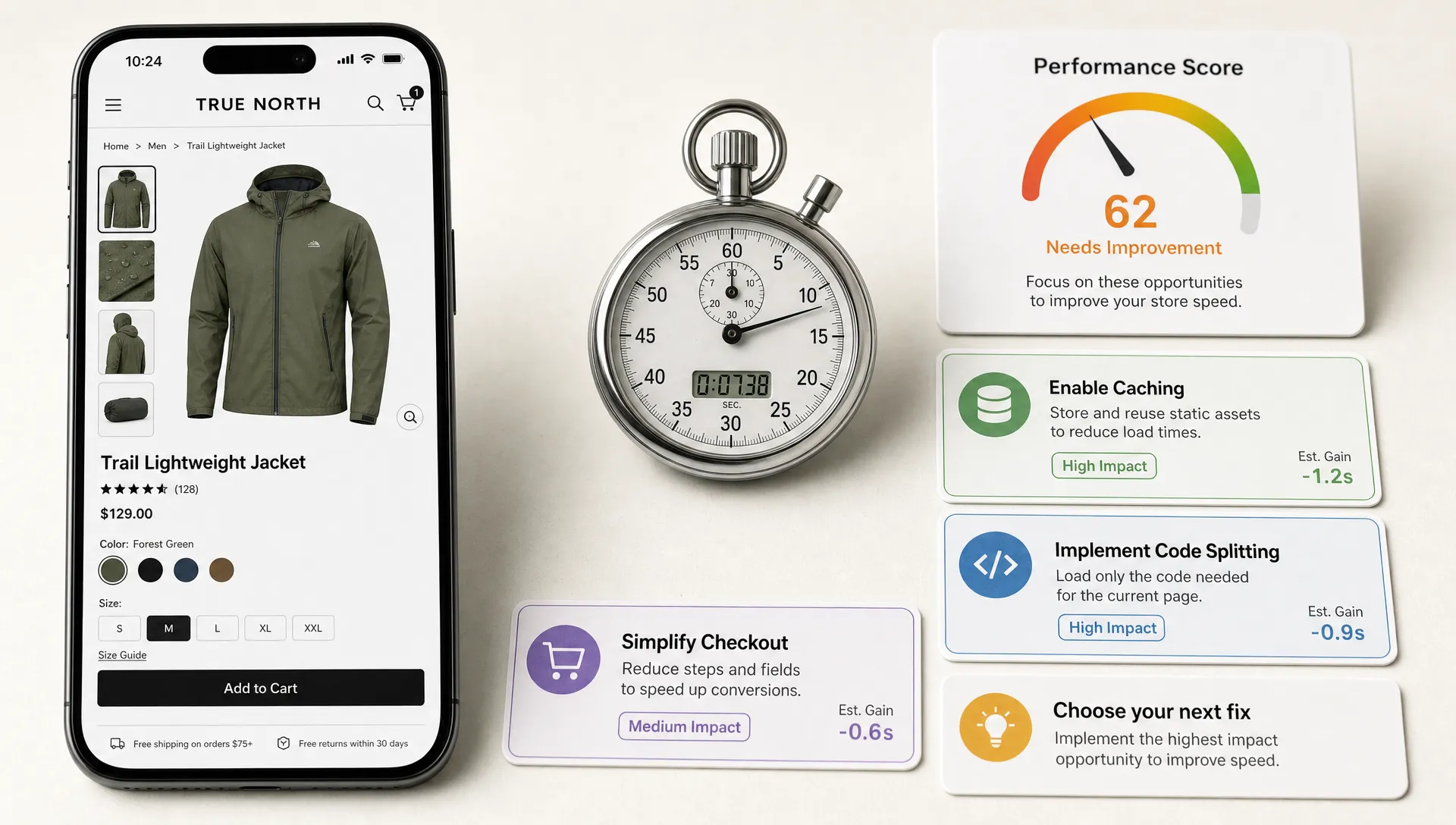
Performance optimization is not a generic engineering cleanup project. For ecommerce teams, it is a revenue discipline that decides whether shoppers can discover products, evaluate options and complete a purchase before friction wins.
That distinction matters because most retail backlogs contain dozens of possible speed improvements. Image compression, app cleanup, caching, code splitting, checkout tuning, tag governance, Core Web Vitals work and infrastructure changes can all be valid. The harder question is sequence: what should your team fix first?
The best performance optimization priorities start with the buying journey. A faster homepage is useful, but a sluggish product detail page, unstable cart or delayed checkout step usually hurts revenue more directly. Ecommerce teams need a framework that balances technical severity with commercial impact.
Start with revenue-critical templates
Before debating tools or scores, map the templates that influence revenue most often. For most ecommerce brands, that means collection pages, search results, product detail pages, cart, checkout and key landing pages used by paid media or email.
A template-first approach prevents teams from chasing isolated Lighthouse scores on pages that do not represent real shopper behavior. It also helps merchandisers, marketers, designers and engineers work from the same list of priorities. When a product listing page slows down after a new personalization module launches, the issue is not just a technical regression. It is a product discovery problem.
A practical template map should include traffic share, conversion role, device split, primary acquisition channel and known friction points. If your paid social campaigns send mobile shoppers directly to a seasonal landing page, that page deserves more attention than a low-traffic editorial article. If repeat customers often go straight to search, search results performance should sit near the top of the queue.
Space Dinosaurs has covered the revenue case in more depth in its guide on how ecommerce teams can turn site speed into revenue. The short version is simple: performance work gets funded more easily when it is tied to funnel behavior, not abstract technical hygiene.
Priority 1: Stabilize Core Web Vitals where shoppers decide
Core Web Vitals are not the whole performance story, but they give ecommerce teams a shared language for user experience quality. Google defines good thresholds as Largest Contentful Paint at 2.5 seconds or less, Interaction to Next Paint at 200 milliseconds or less and Cumulative Layout Shift at 0.1 or less, measured at the 75th percentile of page loads. Those thresholds are documented in Google's Core Web Vitals guidance.
For ecommerce teams, the priority is not to make every URL perfect. The priority is to make decision-heavy templates feel fast and stable for real shoppers on real devices.
Product detail pages often carry the heaviest burden. They need large imagery, reviews, variants, recommendations, promotions, inventory messaging and add-to-cart functionality. Product listing pages can also suffer because filters, sorting, infinite scroll and product cards all compete for browser resources. Checkout pages introduce another layer of risk because payment scripts, address validation and fraud tooling can create delays at the worst possible moment.
Use Core Web Vitals as a diagnostic lens by template:
| Metric | Ecommerce meaning | Common retail cause | Priority question |
|---|---|---|---|
| LCP | How quickly the main product, hero or content area appears | Oversized images, slow server response, render-blocking assets | Is the shopper waiting to see what they came for? |
| INP | How responsive the page feels after taps, clicks and typing | Heavy JavaScript, third-party scripts, complex filtering | Does the site react when the shopper takes action? |
| CLS | How visually stable the page remains | Late-loading banners, images without dimensions, injected promos | Does the page move while the shopper is trying to buy? |
If you need a more detailed benchmark view, Space Dinosaurs has a separate breakdown of Core Web Vitals benchmarks for ecommerce across the templates that matter most.
Priority 2: Cut JavaScript before adding more experiences
Modern ecommerce sites often become slow one feature at a time. A reviews app gets added. Then a personalization tool. Then a new analytics tag, a financing widget, a loyalty banner, a chatbot and a merchandising experiment. Each individual addition may seem reasonable, but together they can overload the browser.
JavaScript is especially important because it affects interactivity. A page can appear loaded, yet still feel broken if the browser is busy processing scripts. On mobile devices, that delay becomes more obvious. Shoppers tap a size selector, filter products or press add to cart and the interface hesitates.
The first step is not necessarily a full rebuild. Start by identifying unused, duplicated and low-value scripts. Tag managers make it easy to add code, but they can also hide ownership. Every script should have a business owner, a purpose, a measurable benefit and a removal path.
Useful questions for ecommerce teams include:
- Which scripts load on every page even though they only matter on one template?
- Which tags fire before the primary content is usable?
- Which third-party tools duplicate data collection or personalization logic?
- Which interactive features could be delayed until after the shopper sees the product?
This is where performance optimization becomes a governance issue. Engineering can reduce bundle size, defer scripts and improve hydration, but business teams need to decide which experiences deserve browser time.
Priority 3: Build a product media pipeline, not a one-time image fix
Product media is central to ecommerce conversion. Shoppers need clear imagery, color accuracy, lifestyle context and sometimes video before they trust a purchase. That is especially true for visually driven categories. An activewear and athleisure storefront such as Cavalcade shows the kind of retail experience where product visuals, campaign imagery and collection merchandising must feel rich without making the site sluggish.
The mistake is treating image optimization as a cleanup task after launch. Retail teams need a media pipeline that handles sizing, compression, formats, aspect ratios and delivery rules by default.
That pipeline should account for how templates actually work. A product listing page might display dozens of thumbnails. A product detail page may need zoomable images, variant-specific galleries and user-generated content. A homepage or campaign landing page may use large creative assets that must load quickly on mobile connections.
Strong media performance usually comes from a combination of responsive image sizes, modern formats, lazy loading for below-the-fold assets, correct width and height attributes, content delivery network configuration and editorial guardrails. The goal is not to make images small at all costs. The goal is to deliver the right visual quality at the right moment.

Priority 4: Make third-party tools earn their place
Third-party tools are often essential in ecommerce. Payment providers, analytics platforms, consent tools, search vendors, review systems, loyalty programs and merchandising technologies can all support growth. The performance risk comes from unmanaged accumulation.
Every third-party tool should be evaluated against shopper impact. If a tool improves conversion, retention or operational insight, it may justify its cost in page weight. If it only supports a rarely used campaign or reports a metric no one acts on, it may not deserve prime loading position.
Create a quarterly tag review with marketing, analytics, ecommerce, engineering and privacy stakeholders. The review should classify tags by template, load timing, owner, purpose and measurable value. It should also identify tools that can be delayed, scoped to fewer pages or removed.
This is not anti-marketing. It is pro-accountability. Performance optimization works best when teams stop framing speed as an engineering constraint and start treating it as part of the customer experience budget.
Priority 5: Improve server response and caching on high-demand paths
Frontend work gets most of the attention because shoppers can see it. Backend performance matters just as much, especially when traffic spikes, inventory changes quickly or personalization depends on real-time data.
Slow server response can delay everything else. If the browser waits too long for the initial document, even perfectly optimized images and scripts cannot save the experience. Ecommerce teams should pay close attention to product pages, cart operations, checkout steps, search results and account pages because these routes often rely on multiple systems.
Caching strategy is one of the highest-leverage areas. Category pages, product content, pricing, promotions and inventory data may each have different freshness requirements. Treating all content as either fully static or fully dynamic can create unnecessary tradeoffs. A mature approach uses cache rules, edge delivery and smart invalidation so shoppers get fast pages without seeing misleading product information.
Composable commerce teams should be especially deliberate here. A flexible stack can improve agility, but each API call and integration adds dependency risk. Performance budgets should include backend latency, API reliability and fallback behavior, not just frontend metrics.
Priority 6: Protect checkout speed and reliability
Checkout performance is different from browsing performance because shopper intent is already high. A delay at this stage does not just reduce engagement. It can interrupt payment, create uncertainty or send a customer back to compare alternatives.
Cart and checkout optimization should focus on responsiveness, clarity and resilience. Address lookup, shipping methods, tax calculation, promotions, wallet payments and fraud checks all need to work without making the interface feel frozen. If something takes time, the experience should communicate progress clearly.
This is also where performance and UX overlap. A fast checkout with confusing error messages still leaks revenue. A clear checkout that waits too long after every field change also leaks revenue. Teams should examine technical timing and user behavior together, especially on mobile.
Baymard Institute's checkout research has long documented how checkout friction affects abandonment, and many of the problems are operational rather than purely visual. Field validation, form design, payment options and trust signals all interact with page speed. The right priority is the combination that reduces hesitation and prevents failure.
Priority 7: Measure performance in the field, not only in the lab
Lab tests are useful because they are repeatable. They help developers reproduce issues, compare branches and catch regressions before release. But ecommerce performance decisions should not rely on lab data alone.
Real user monitoring shows how actual shoppers experience the site across devices, browsers, locations, connection speeds and logged-in states. Field data is especially important for retail because customer journeys vary widely. A high-end desktop user on fiber and a mobile shopper on a crowded network may experience the same page very differently.
A balanced measurement setup should connect technical signals to business outcomes:
| Measurement layer | What it answers | Best use |
|---|---|---|
| Synthetic testing | How does a page perform under controlled conditions? | Release checks and debugging |
| Real user monitoring | How do actual shoppers experience templates? | Prioritization and trend tracking |
| Analytics funnel data | Where do shoppers drop off? | Revenue impact analysis |
| Experimentation data | Did the change improve behavior? | Validation and investment decisions |
This mix helps teams avoid two common traps. The first is celebrating a score improvement that shoppers barely feel. The second is ignoring a technical regression until conversion drops. If your team is ready to move from diagnosis to execution, this guide to website speed optimization fixes that improve conversions covers practical fixes across ecommerce templates.
A practical 90-day prioritization roadmap
A strong performance program does not need to start with a year-long replatform. Most ecommerce teams can make meaningful progress in 90 days if they focus on the right sequence.
Days 1 to 30: Create the performance baseline
Start by selecting the templates that matter most to revenue. Pull Core Web Vitals field data where available, run controlled tests on representative pages and compare performance against conversion behavior. Include mobile as a first-class view, not an afterthought.
During this phase, build a shared dashboard that separates homepage performance from shopping journey performance. Document major third-party scripts, image issues, backend bottlenecks and checkout delays. The deliverable should be a ranked opportunity list, not a vague audit.
Days 31 to 60: Remove obvious friction
The second phase should target fixes with high confidence and low strategic risk. Common examples include compressing oversized media, delaying nonessential scripts, removing unused tags, reserving layout space for banners and improving cache rules on stable content.
This is also a good time to add performance checks to the release process. If a new feature worsens INP on product listing pages or introduces layout shift in checkout, the team should know before shoppers do.
Days 61 to 90: Tie performance to operating rhythm
The third phase is about making performance stick. Add ownership rules for third-party tools, define performance budgets for key templates and create a review cadence tied to campaign launches, seasonal merchandising and major releases.
For larger retailers, this is often where deeper architectural work becomes clearer. The team may decide to modernize rendering, revisit composable integrations, improve API orchestration or redesign heavy frontend experiences. Because the first 60 days created evidence, these bigger projects can be justified with more confidence.
What ecommerce teams should not prioritize first
Performance programs often lose momentum when teams begin with work that is technically interesting but commercially weak. A perfect score on a low-traffic page rarely matters more than a slow product page. A redesign does not automatically solve performance debt. A new tool will not fix unclear ownership.
Be cautious with priorities that sound impressive but lack a business path. Rewriting the entire frontend, changing platforms or replacing every third-party tool may be appropriate in some cases, but those decisions should come after template-level evidence. Ecommerce teams need speed, stability and adaptability, not vanity performance theater.
The most useful performance optimization priorities are usually specific: reduce LCP on mobile PDPs, improve filter responsiveness on PLPs, prevent checkout layout shift, cut unused JavaScript from landing pages or reduce server wait time on search results. Specific work can be owned, measured and connected to shopper behavior.
Frequently Asked Questions
What is the first performance optimization priority for ecommerce teams? Start with revenue-critical templates, especially product listing pages, product detail pages, cart, checkout and paid landing pages. Optimizing these areas usually has more commercial impact than improving low-traffic pages.
Are Core Web Vitals enough to measure ecommerce performance? Core Web Vitals are a strong starting point, but they should be paired with real user monitoring, funnel analytics and conversion data. Ecommerce teams need to know both how fast the site feels and whether shoppers are moving toward purchase.
How often should ecommerce teams review third-party scripts? A quarterly review is a practical baseline, with additional checks before major campaigns, redesigns, peak season or new tool launches. Every script should have an owner, purpose and measurable value.
Should performance optimization happen before or after a redesign? It should start before a redesign. A redesign that ignores JavaScript weight, image delivery, backend latency and third-party governance can repeat the same performance problems in a new interface.
How do you connect performance optimization to revenue? Measure performance by template and compare it with funnel behavior such as product views, add-to-cart rate, checkout progression and conversion. The goal is to show which speed and stability improvements affect buying behavior.
Make performance a retail operating rhythm
Performance optimization works best when it becomes part of how ecommerce teams plan, launch and improve digital experiences. The priority is not a one-time score. It is a faster, more stable buying journey that supports merchandising, paid media, personalization, checkout and long-term customer trust.
If your retail team needs help auditing revenue-critical templates, improving Core Web Vitals, modernizing a composable stack or building an optimization roadmap, Space Dinosaurs helps ecommerce brands combine AI-enabled engineering, UX, analytics and performance strategy into practical growth work.