
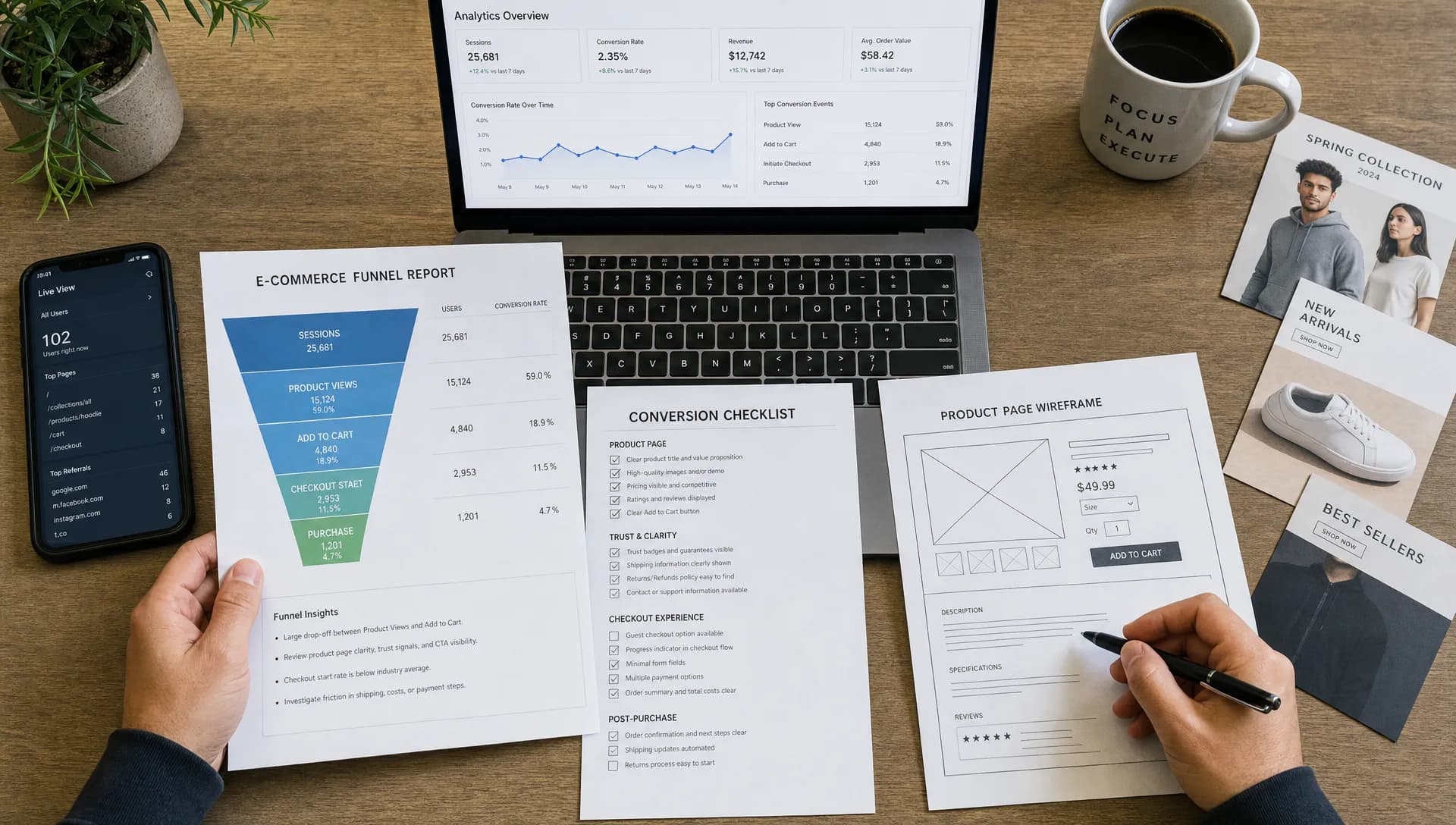
Before a retail brand pays for more clicks, the goal is not merely to optimize website for conversion as a marketing slogan. The real work is proving that your site can turn the demand you already have into orders, leads or high-intent actions without leaking revenue at every step.
Paid traffic is an amplifier. If your store is fast, clear and easy to buy from, traffic can accelerate growth. If the experience is confusing or slow, traffic simply makes the waste more expensive. Before increasing spend on search, social, affiliates or marketplaces, treat your site like a revenue system that needs a preflight check.
How to Optimize Website for Conversion as a Traffic Preflight
A preflight approach gives you a simple question to answer before buying traffic: if a qualified visitor landed today, would the site help them make a confident decision? That question is more useful than arguing over button colors or running isolated tests without context.
To optimize website for conversion before paid acquisition, start with the buying journey rather than the campaign dashboard. A retailer should know where visitors hesitate, which pages create trust, which devices underperform and which technical issues interrupt the path to purchase.
Here is the practical difference:
| Focus area | Before buying traffic | After buying traffic |
|---|---|---|
| Analytics | Confirm events, revenue tracking and attribution basics | Scale reporting and segment performance |
| UX | Remove obvious friction from navigation, search, PDPs and checkout | Test variants against proven baselines |
| Performance | Fix slow pages and unstable templates | Monitor speed under higher traffic volume |
| Offer clarity | Make value, delivery and returns easy to understand | Match offers to audience segments |
| Landing pages | Prepare intent-specific pages | Optimize campaigns by audience and keyword |
This does not mean your site must be perfect before a campaign launches. It means the core experience should be good enough that paid traffic is learning from customer behavior, not from preventable friction.
Start With the Economics of Traffic
Before a retailer asks how much budget to allocate, it should estimate how much conversion friction it can afford. A small conversion rate difference can turn a profitable campaign into an expensive lesson, especially when margins are tight or customer acquisition costs are rising.
For example, imagine a store with a $90 average order value, a 50 percent gross margin and a $1.50 average cost per click. At a 1 percent conversion rate, 100 clicks generate one order and $45 in gross profit before ad cost, while the clicks cost $150. At a 3 percent conversion rate, the same 100 clicks generate three orders and $135 in gross profit, still not perfect but much closer to workable.
When you optimize website for conversion before buying media, you improve the unit economics that every channel depends on. SEO, paid search, paid social, email and influencer traffic all benefit from the same site improvements, which makes conversion work one of the highest-leverage investments before acquisition spend increases.
Make Analytics Trustworthy Before You Judge Performance
Many teams move too quickly from low conversion numbers to design opinions. Before changing layouts, confirm that the data is reliable. Broken analytics can make a healthy funnel look weak or hide the exact step where users are dropping out.
A minimum analytics setup should capture sessions by device, traffic source, landing page, product view, add to cart, checkout start, payment attempt, purchase and revenue. For lead-generation journeys, track form starts, form submissions, qualified inquiries and booked calls rather than only pageviews.
To optimize website for conversion with confidence, every key action should have a clear event definition and a clear owner. If marketing, e-commerce and finance use different numbers, your team will struggle to prioritize fixes.
| Measurement check | What to confirm | Why it matters |
|---|---|---|
| Purchase tracking | Orders and revenue match the commerce platform closely | Prevents false campaign ROI decisions |
| Funnel events | Product views, carts and checkout steps fire consistently | Shows where shoppers abandon |
| Device segmentation | Mobile and desktop are reported separately | Avoids averaging away mobile problems |
| Source attribution | Paid, organic, email and direct traffic are distinguishable | Helps budget decisions |
| Error tracking | Payment, form and promo code issues are visible | Reveals hidden revenue leaks |
Analytics will not fix the site by itself, but it turns conversion work from opinion into diagnosis.
Fix Speed and Stability Before Polishing the Interface
Speed is one of the few conversion levers that affects nearly every visitor. A slow collection page makes product discovery harder. A slow product page delays evaluation. A slow checkout creates anxiety right when the customer is ready to act.
Core Web Vitals offer a useful technical baseline. In general, teams should aim for Largest Contentful Paint of 2.5 seconds or less, Interaction to Next Paint of 200 milliseconds or less and Cumulative Layout Shift of 0.1 or less. These numbers are not the whole customer experience, but they help engineering and marketing teams speak the same language.
Retail sites often get slower over time because of third-party scripts, personalization tools, reviews widgets, tag managers, image weight and legacy code. If you suspect speed is already costing sales, this guide to website speed optimization fixes that improve conversions goes deeper into the ecommerce fixes worth prioritizing.
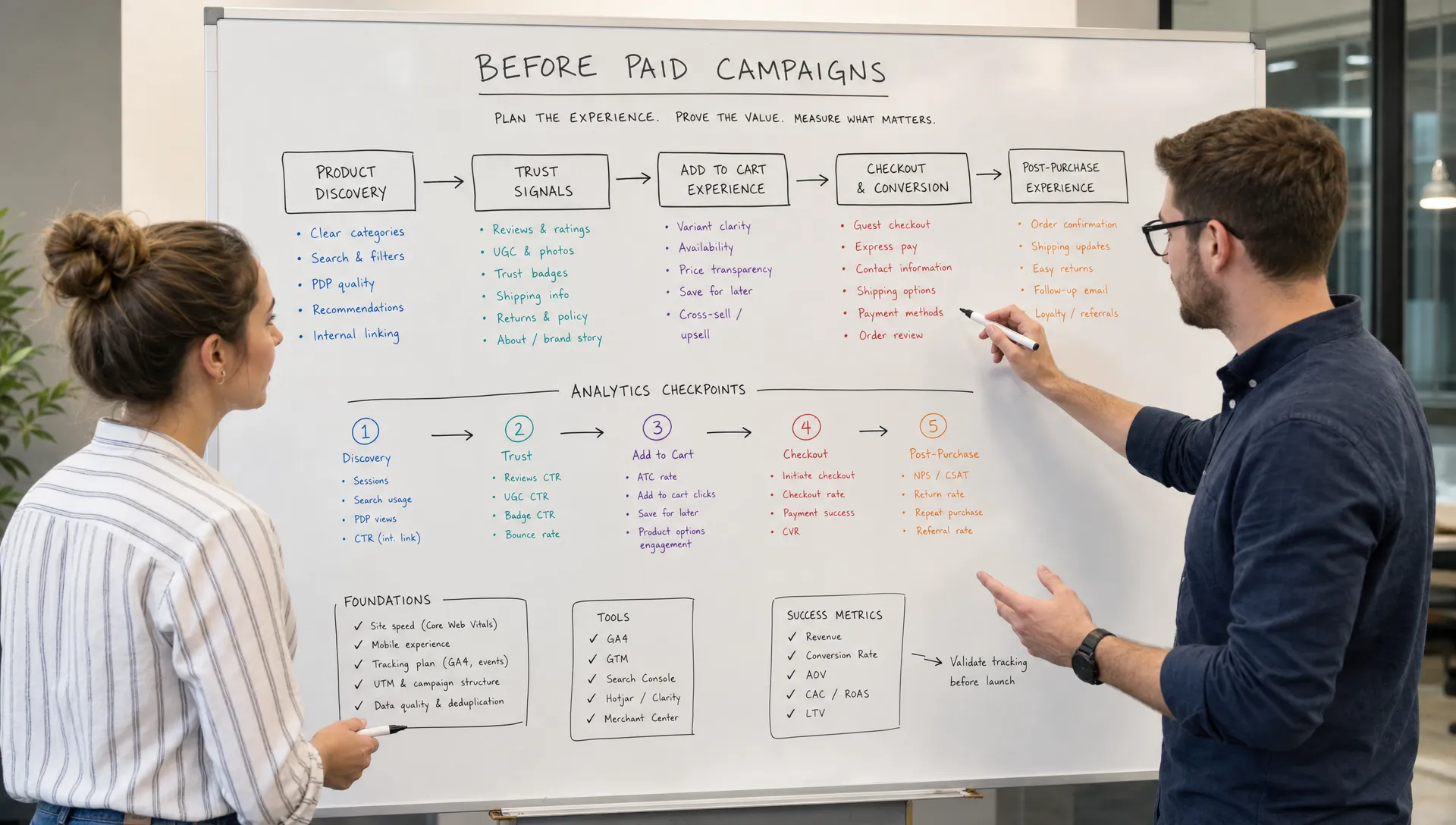
Performance work is not only about page load time. Stability matters too. Broken filters, delayed cart updates, layout shifts, app conflicts and inconsistent promo logic all reduce trust, even when the page technically loads.
Make Product Discovery Effortless
Paid traffic rarely lands on a blank homepage journey. Visitors arrive with context, such as a search query, an ad promise, a category need or a product comparison in mind. If the first few clicks do not match that intent, attention drops quickly.
To optimize website for conversion at the discovery stage, focus on helping visitors narrow choices without forcing them to understand your catalog structure. Search should tolerate misspellings and synonyms. Filters should reflect how customers shop, not only how the merchandising team categorizes products. Sorting should make sense for the category, whether that means relevance, best sellers, price, newness or availability.
Product listing pages should also reduce unnecessary hesitation. For many retailers, cards need enough information for a shopper to decide whether a product deserves a click: price, key variant options, ratings if available, promotion context, stock status and a clear image. Hiding too much at the listing stage pushes low-intent clicks into product pages and muddies your data.
Discounting is not the only way to move shoppers forward. Clear merchandising, confident product copy, useful bundles and strong trust cues can lift conversion without training customers to wait for promotions. Space Dinosaurs covers that topic in more detail in its guide on how to improve conversion rate without discounting.
Strengthen Product Pages Before Sending Paid Clicks
For ecommerce brands, the product detail page is often where paid traffic either converts or leaves. It has to answer the questions a shopper would normally ask a salesperson, especially when the product is considered, technical, expensive or difficult to compare.
A strong PDP explains what the product is, who it is for, why it is worth the price and what happens after purchase. That usually means clear imagery, visible price and availability, delivery information, returns information, product specs, size or fit guidance, social proof and a call to action that remains easy to find on mobile.
When teams optimize website for conversion before traffic campaigns, PDP work should focus on confidence, not clutter. Adding more badges, banners and popups can make a page feel less trustworthy. The better goal is to remove uncertainty in the order a shopper naturally experiences it.
| PDP question | Conversion-focused answer |
|---|---|
| Is this the right product? | Clear positioning, use cases, specs and variants |
| Can I trust it? | Reviews, guarantees, transparent policies and brand proof |
| When will I get it? | Delivery estimates and stock status near the buying action |
| What if it is wrong? | Easy-to-find returns, exchanges and support information |
| What should I do next? | Clear add-to-cart action and mobile-friendly purchase path |
The same principle applies to service and lead-generation pages. If you buy traffic before the page explains the offer, the audience fit and the next step, the campaign will pay for confusion.
Reduce Checkout Friction Before Scaling Spend
Checkout friction is expensive because it happens after intent is already high. The visitor has selected a product, accepted the price and started the buying process. Every unnecessary field, surprise cost or unclear error message puts that intent at risk.
Common checkout blockers include forced account creation, late shipping costs, limited payment options, coupon boxes that distract from purchase, weak address validation, unclear delivery dates and error messages that do not explain how to recover. On mobile, small tap targets and poorly formatted inputs can turn a motivated buyer into an abandoned cart.
To optimize website for conversion near the finish line, watch real checkout behavior across devices. Session recordings, support tickets, payment failure logs and customer service transcripts can reveal issues that funnel charts alone miss.
Do not overlook the cart. A good cart reassures the shopper before checkout begins. It should show product details, quantities, prices, discounts, shipping context, return reminders and secure payment cues without becoming a maze of upsells. Cross-sells can work, but only when they are relevant and do not block the primary action.
Align Landing Pages With Paid Intent
Traffic quality matters, but even high-quality traffic underperforms when landing pages are generic. A campaign for a specific category, customer problem or local offer should not always land on the homepage. The landing experience should continue the promise made by the ad.
If paid search is part of your plan, it helps to think beyond clicks and focus on qualified demand. This guide to SEM services that deliver better leads, not just clicks is a useful companion because it connects keyword intent, tracking, landing pages and PPC ROI.
When you optimize website for conversion before buying traffic, map each planned campaign to the most relevant destination. Brand queries may work well on the homepage or a brand landing page. Category searches usually need a collection page or filtered landing page. Product-specific queries should land as close as possible to the exact product or comparison set.
Paid social often needs a different approach. These visitors may be earlier in the journey, so the page may need stronger education, storytelling, proof and offer context before pushing directly to purchase. The key is not to create more pages for the sake of it. The key is to match page depth to visitor intent.
Build a Pre-Traffic Conversion Scorecard
A scorecard helps teams avoid vague debates. Instead of saying the site is ready or not ready, rate the core buying journey against specific criteria and assign owners to the highest-impact gaps.
A simple pre-traffic scorecard can include:
- Analytics accuracy across funnel events and revenue
- Mobile speed on priority templates
- Navigation, search and filter usability
- Product page clarity and trust signals
- Cart and checkout completion quality
- Landing page match for each planned campaign
- Error monitoring for forms, payments and promo codes
- Customer support feedback from recent site issues
This is also where prioritization matters. Not every fix deserves to block a campaign. A broken payment method is critical. A slightly imperfect hero image is probably not. A slow mobile category page may be critical if paid traffic will land there. A desktop-only visual issue may be lower priority if the campaign is overwhelmingly mobile.
To optimize website for conversion in a way leadership can approve, rank each issue by expected revenue impact, effort, confidence and urgency. That keeps the work commercial rather than cosmetic.
Test After the Basics Are Stable
A/B testing is valuable, but it is not a substitute for fixing obvious problems. If checkout errors are common, analytics are unreliable or product pages lack essential information, tests will mostly measure noise. Stabilize the fundamentals first, then use experimentation to refine meaningful choices.
Good tests start with a diagnosis. For example, if many users view size information but do not add to cart, a size guidance test may be useful. If visitors scroll through reviews but abandon before purchase, trust placement may be worth testing. If mobile users drop in checkout, field design or payment options may be a better target than homepage creative.
After traffic grows, your optimization program can become more sophisticated. For teams already operating at meaningful scale, Space Dinosaurs has a separate perspective on building a conversion optimization strategy for high-traffic stores.
Frequently Asked Questions
Should I delay all paid traffic until the site is fully optimized? Not necessarily. You can run small validation campaigns while fixing the site, but avoid scaling spend until analytics, speed, key landing pages and checkout are stable enough to produce trustworthy results.
What is the first thing to fix before buying traffic? Start with measurement. If revenue, lead quality, checkout steps or form submissions are not tracked correctly, you cannot tell whether traffic is underperforming because of the campaign, the audience or the website experience.
How long does pre-traffic conversion work take? A focused audit can identify major blockers quickly, but implementation depends on site complexity, platform constraints and team capacity. Many retailers begin with a short list of high-impact fixes before moving into ongoing optimization.
Is conversion optimization only for ecommerce stores? No. The same principles apply to lead-generation, booking and B2B journeys. The conversion action changes, but the work is still about reducing friction, increasing clarity and helping qualified visitors take the next step.
Can AI help with conversion optimization? Yes, when it is used with good data and human judgment. AI can support pattern analysis, personalization, merchandising, search, content testing and operational efficiency, but it should not replace careful UX decisions or clean measurement.
Prepare the Site Before You Pay for More Attention
Buying traffic before fixing conversion basics is like filling a leaky bucket faster. You may get more visitors, but the business does not keep enough value from the demand it paid to create.
If your retail team is preparing for a campaign, redesign or growth push, Space Dinosaurs can help modernize the ecommerce experience with AI-enabled engineering, human-centered UX, performance optimization, analytics and ongoing improvement. The smartest media plan starts with a site ready to convert the customers it attracts.