

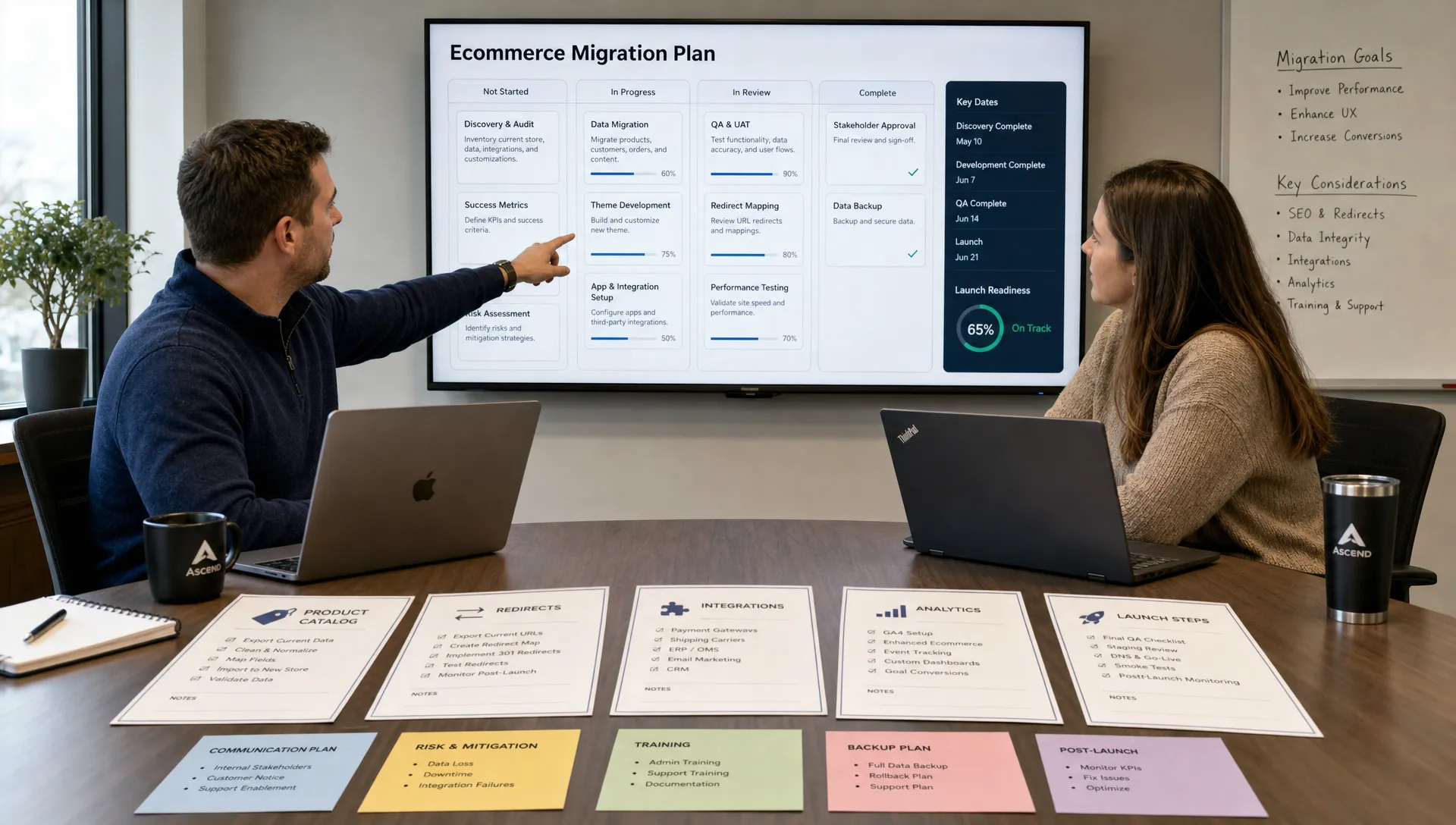
Moving from BigCommerce to Shopify should not feel like changing engines mid-flight. It can, however, become that stressful if the work starts with exports, theme mockups and app installs before the business has agreed on what the new commerce operation actually needs to do.
If you are planning to migrate from BigCommerce to Shopify, the safest path is not a single migration checklist. It is a controlled program that protects revenue, search visibility, customer data, operational continuity and the customer experience at the same time. The goal is not simply to make the old store appear on a new platform. The goal is to launch a cleaner, faster and more manageable retail experience without surprising your customers or your team.
Start with platform fit before migration planning
A migration is expensive even when it goes well. Before committing to Shopify, confirm that the platform matches your growth model, operational complexity and internal team structure. Shopify is a strong fit for many retailers because it can reduce maintenance burden, simplify merchandising workflows and support fast iteration. It is not automatically the right fit for every edge case.
Retailers should pressure-test the decision if they rely on unusually complex pricing rules, deeply customized checkout logic, advanced B2B workflows, marketplace architecture or highly specific ERP-driven processes. Those requirements may still be possible on Shopify, especially with Shopify Plus or a composable approach, but they should be validated before design and development begin. For a more candid view of edge cases, Space Dinosaurs has covered when retailers should not use Shopify in more detail.
A practical platform-fit review should answer a few questions before anyone touches data:
| Decision area | Clarify before build | Why it matters |
|---|---|---|
| Business model | DTC, wholesale, subscriptions, bundles, international or hybrid | Determines platform configuration, apps and integrations |
| Catalog complexity | Variants, options, bundles, custom fields and product relationships | Prevents broken product detail pages and merchandising gaps |
| Operational systems | ERP, OMS, WMS, PIM, CRM, email, loyalty and reviews | Reduces launch-week surprises across teams |
| Checkout needs | Payment methods, taxes, shipping rules, fraud tools and discounts | Protects conversion and order accuracy |
| Reporting | KPIs, attribution, margin reporting and merchandising dashboards | Avoids losing visibility after launch |
| Launch timing | Seasonality, promotions, content freezes and staff availability | Keeps migration work away from avoidable revenue risk |
This early diligence prevents a common migration mistake: treating Shopify as a destination rather than designing the business system that will run on it.
Build a migration map, not just a task list
A task list tells teams what to do. A migration map explains how each part of the business moves, who owns it and what success looks like. That distinction matters because BigCommerce to Shopify migrations cross departments. Ecommerce, marketing, merchandising, fulfillment, finance, customer service and analytics all have different failure points.
Your migration map should define the source of truth for each data set, the destination in Shopify, the transformation rules, the testing method and the launch owner. It should also identify what will not migrate. Some legacy data may be redundant, low quality or better kept in another system for compliance and reporting.
For a sense of the operational scope, the Space Dinosaurs team shared a real example of a multi-brand BigCommerce to Shopify migration. Multi-brand work makes the need for shared standards especially clear: one bad assumption about redirects, customer records or product structure can repeat across multiple storefronts.
Your migration map should cover these areas at minimum:
- Product catalog, variants, options, collections, images and product metadata
- Customer accounts, tags, consent status, addresses and communication rules
- Historical orders, refunds, gift cards, store credit and tax records
- URL structure, redirects, metadata, canonical rules and structured data
- Theme architecture, content pages, navigation, search and merchandising tools
- Payments, taxes, shipping, fulfillment, fraud, subscriptions and loyalty
- Analytics, pixels, consent management, dashboards and KPI definitions
The earlier these are mapped, the less likely the project is to turn into a string of disconnected emergencies.
Clean the catalog instead of copying every problem
A migration is one of the best chances to improve catalog health. Many BigCommerce stores carry years of patched product data, inconsistent categories, outdated images, duplicate SKUs and fields that no current team uses. Copying that structure into Shopify may feel safer, but it often preserves the very friction the migration was meant to remove.
Start by auditing product types, variant logic, option names, SKUs, inventory rules and merchandising attributes. BigCommerce product options and custom fields do not always translate neatly into Shopify products, variants, metafields or metaobjects. That is not a problem if the team makes deliberate decisions before import.
| BigCommerce asset | Common Shopify destination | What to watch closely |
|---|---|---|
| Products and variants | Products, variants, metafields and media | Variant structure, SKU consistency and product URLs |
| Categories | Collections, navigation and merchandising rules | High-value category landing pages and SEO intent |
| Custom fields | Metafields or metaobjects | Field naming, governance and theme usage |
| Customers | Customer records, tags and addresses | Consent status, duplicates and account activation |
| Orders | Historical order import or external archive | Payment states, fulfillment states and reporting needs |
| Gift cards and store credit | Shopify gift card or custom handling | Balance validation and customer communication |
| Content pages | Shopify pages, blogs or theme sections | Redirects, media paths and outdated copy |
Customer passwords deserve special attention. In most migrations, passwords cannot simply be copied because they are hashed and protected. Plan for customer account activation or a communication flow rather than promising that every shopper will log in exactly as before.
Historical orders also need clear rules. Finance may need complete records. Customer service may need searchable history. Marketing may need purchase segments. Not all of those needs require the same implementation inside Shopify. Sometimes the right answer is a combination of Shopify order history, an external archive and connected business intelligence.
Protect SEO like it is revenue
Organic traffic is one of the easiest assets to damage during a replatform. Shopify has its own URL patterns for products, collections, pages and blogs, so many BigCommerce URLs will need 301 redirects. The work should begin with a crawl of the existing site, analytics data, search console data and revenue reports so the team can prioritize pages that actually matter.
Do not treat redirects as a developer afterthought. A redirect plan should preserve the intent of each valuable URL. Product pages should point to the equivalent product when possible. Discontinued items should point to the closest category or replacement product if that is useful for customers. Old campaign pages, buying guides and blog posts should be reviewed instead of mass-redirected to the homepage.
SEO protection also includes metadata, headings, schema, internal links, image alt text, pagination behavior, canonical tags, robots rules and XML sitemaps. If you are redesigning navigation or collections, check whether those pages currently rank and convert. A cleaner UX is valuable, but changing every template, URL and content block at once makes it harder to diagnose traffic movement after launch.
A stable migration does not guarantee zero ranking volatility. It does give search engines a coherent path from old pages to new ones, which is the difference between a temporary adjustment and a long recovery project.
Rebuild the buying journey, do not clone it
The safest migration is not always the one that recreates the old store pixel for pixel. If BigCommerce limitations, old theme decisions or app workarounds have created friction, Shopify gives you an opportunity to improve the buying journey while keeping scope under control.
Focus first on the moments closest to revenue: product discovery, product detail pages, cart, checkout, account creation, payment methods, shipping clarity and return information. Every change should be tied to a customer need or a measurable business outcome.
Retailers that sell classes, launches or brand events can also learn from low-friction checkout models in adjacent commerce categories. A platform like TixFlow emphasizes flexible ticket tiers, promo codes, customizable event pages and no forced buyer registration, which is a useful reminder for ecommerce teams: every extra step in the purchase path must earn its place.
This is where UX, performance and analytics belong in the same conversation. A beautiful Shopify theme can still underperform if product filters are confusing, mobile pages are slow or analytics cannot show where customers drop. For a deeper post-launch growth lens, Space Dinosaurs has also written about Shopify conversion rate optimization as an ongoing retail discipline rather than a one-time design pass.
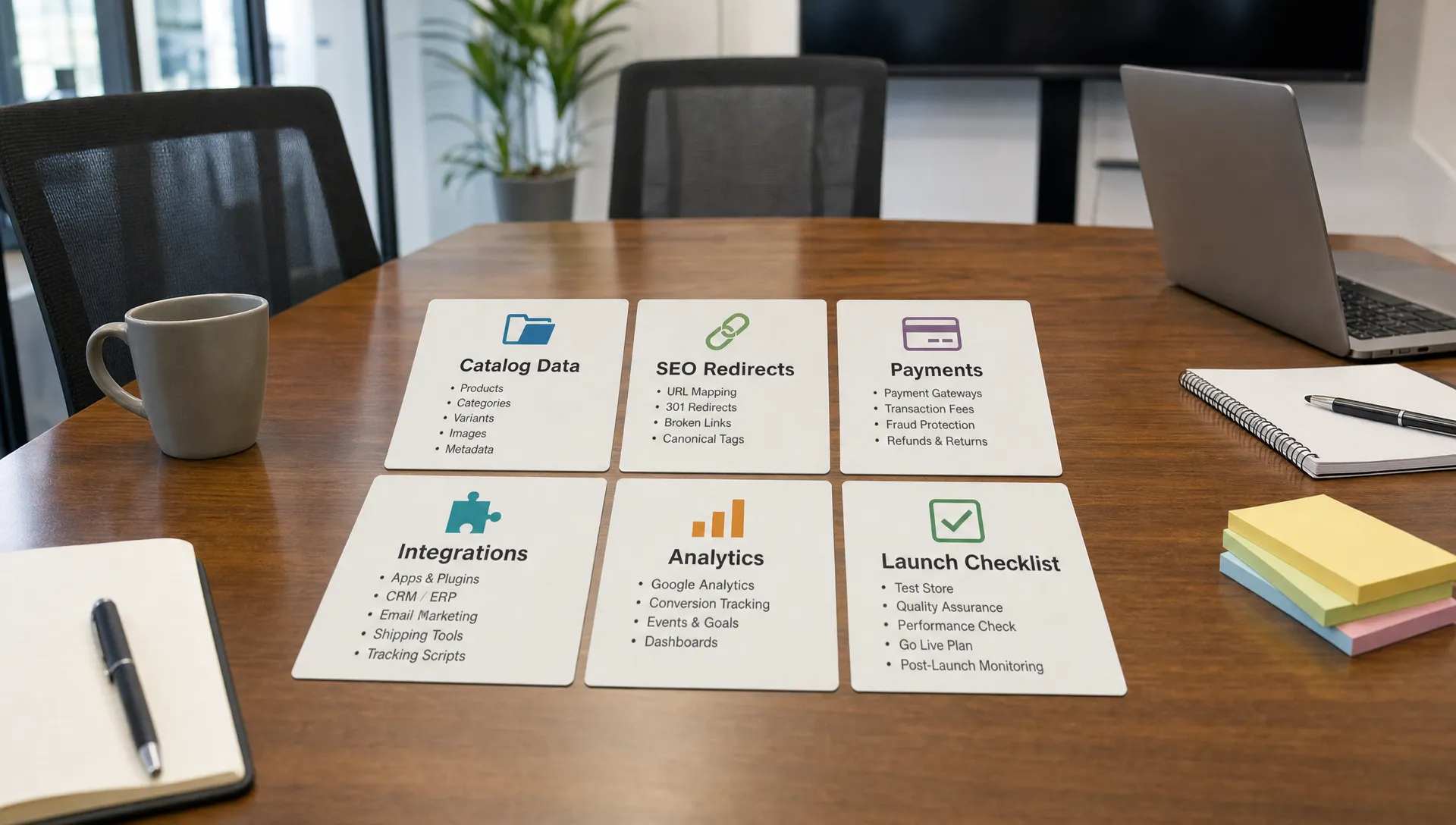
Treat integrations as data contracts
Most migration chaos comes from systems around the storefront, not the storefront itself. BigCommerce apps, custom scripts and integrations may not have direct Shopify equivalents. Even when an equivalent exists, the data model, timing and error handling can differ.
Map every integration by business function, not app name. Ask what data it sends, what data it receives, when it runs, who owns failures and what happens if it is unavailable for an hour. That framing turns app selection into architecture instead of guesswork.
Common integration areas include ERP, OMS, WMS, PIM, tax, fraud, subscriptions, reviews, loyalty, email, SMS, customer support, returns and analytics. For each one, define whether Shopify is the system of record or simply a storefront connected to another system. This is especially important for inventory, order edits, cancellations, refunds and customer identity.
AI-enabled engineering can help here by comparing exports, flagging missing media, detecting duplicate SKUs, clustering redirect priorities and spotting anomalies between migration runs. Human review still matters. AI can surface risks faster, but merchandising logic, customer promises, financial controls and launch decisions need experienced owners.
Run migrations in rehearsal, not just at launch
A calm launch depends on rehearsal. Teams should run at least one full or near-full data migration before the final cutover, then test the store as if it were live. That means placing orders, triggering emails, using discounts, testing refunds, checking fulfillment rules, reviewing tax outcomes and confirming analytics events.
A strong migration plan usually moves through these phases:
| Phase | Main objective | Exit criteria |
|---|---|---|
| Discovery | Define platform fit, scope, risks and owners | Approved migration map and launch constraints |
| Data prototype | Test representative products, customers, orders and content | Transformation rules are confirmed |
| Theme and UX build | Create Shopify templates, navigation and core journeys | Priority journeys work on mobile and desktop |
| Integration testing | Connect operational systems and validate data flows | Orders, inventory and customer updates behave as expected |
| SEO validation | Crawl staging, test redirects and review metadata | Critical URLs, titles and canonicals are approved |
| UAT | Let business users test real workflows | Signed-off merchandising, service and operations tasks |
| Cutover | Freeze changes, run final imports and switch traffic | Live store accepts orders and tracking works |
| Stabilization | Monitor revenue, errors, speed and support issues | Priority launch issues are resolved or triaged |
Rehearsal also improves estimates. A first migration run might reveal that image imports take longer than expected, a customer export has duplicates or a subset of products needs manual cleanup. Finding those issues weeks before launch is normal project work. Finding them after DNS changes is chaos.
Create a cutover plan your whole team understands
Launch day should be boring. To make it boring, the cutover plan needs owners, timestamps, dependencies and rollback criteria. Avoid vague instructions like launch when ready. Decide who freezes BigCommerce changes, who exports final data, who verifies payment capture, who tests redirects, who monitors orders and who can make a go or no-go decision.
A practical cutover checklist should include:
- Final content, catalog and order freeze windows with team communication
- DNS timing, TTL settings and access to domain management
- Final data export, import validation and record count comparisons
- Payment gateway, tax, shipping, fraud and notification checks
- Redirect upload, sitemap submission and crawl validation
- Analytics, pixels, consent tools and ecommerce event testing
- Customer service scripts for account activation and order questions
- Post-launch monitoring for speed, checkout errors, 404s and failed integrations
Rollback criteria should be explicit. Not every bug justifies reversing a launch, but payment failures, severe inventory errors, blocked checkout, missing order data or widespread redirect failure may. When the team agrees on thresholds ahead of time, decisions become calmer under pressure.
Avoid the migration traps that create chaos
The most dangerous migration risks are usually predictable. Teams run into trouble when they discover too late that a key app behaves differently, redirects were incomplete, staff cannot update the new theme, customer emails were not reviewed or analytics definitions changed without stakeholder approval.
Another common trap is over-customizing Shopify too early. Custom code may be necessary, but every customization should have a reason. If an app, native feature or simpler process can solve the same problem without adding operational fragility, that option deserves serious consideration.
The opposite mistake is relying on apps for everything. Too many apps can slow pages, create conflicting scripts and make future maintenance harder. App governance should be part of migration planning: who approves apps, how performance impact is measured and how unused tools are removed.
Finally, do not combine a replatform, full rebrand, ERP replacement, international expansion and analytics overhaul unless the business has the capacity to manage that complexity. Sometimes a phased roadmap protects revenue better than one heroic launch.
Measure the first 90 days, not just launch day
The first order on Shopify is not the end of the migration. It is the start of stabilization and optimization. For the first 90 days, monitor revenue, conversion rate, average order value, search visibility, page speed, 404s, checkout errors, refund patterns, customer service tickets and integration failures.
Compare performance against a sensible baseline, not a single launch-day snapshot. Seasonality, promotions and traffic mix can distort results. Your team should know which metrics are expected to fluctuate and which require immediate action.
A practical post-launch rhythm looks like this: fix critical defects in week one, tune operational workflows in the first month, then move into conversion, merchandising and performance improvements. Shopify should make iteration easier, but only if analytics are clean and ownership is clear.
Frequently Asked Questions
How long does it take to migrate from BigCommerce to Shopify? Timing depends on catalog size, data quality, integrations, design scope and business complexity. A straightforward store may take weeks, while a larger retailer with ERP, OMS, loyalty, subscriptions or multi-brand requirements often needs a multi-month plan.
Can I keep my SEO when moving from BigCommerce to Shopify? You can reduce SEO risk with a strong redirect strategy, metadata migration, canonical review, content preservation and post-launch crawl monitoring. Some volatility is possible, but most avoidable damage comes from incomplete redirects, deleted content or changing too many ranking signals at once.
Can customer passwords migrate to Shopify? Usually no. Passwords are protected and cannot be exported in plain text. Plan an account activation flow and clear customer communication so shoppers understand how to access their accounts after launch.
Should I use an automated migration tool or an agency? Automated tools can help with simple data transfer, but they rarely solve platform fit, UX, SEO strategy, integrations, analytics or operational readiness. Retailers with meaningful revenue, complex catalogs or connected systems usually need experienced migration planning and technical oversight.
Do I need to redesign my store during the migration? Not always. A migration can preserve much of the existing experience, but it is smart to improve high-impact journeys like navigation, product pages, cart, checkout and mobile performance. Avoid unnecessary redesign scope if it puts launch stability at risk.
What is the biggest risk in a BigCommerce to Shopify migration? The biggest risk is assuming the migration is mainly a data import. The real risk is misalignment across SEO, operations, integrations, customer experience and reporting. A disciplined plan turns those unknowns into manageable workstreams.
Make your migration a controlled retail upgrade
A successful BigCommerce to Shopify migration is not chaotic because the team got lucky. It is calm because the business made decisions early, mapped data carefully, protected SEO, tested integrations, rehearsed launch and measured the new store after go-live.
Space Dinosaurs helps retail brands modernize ecommerce with AI-enabled engineering, human-centered UX, performance optimization, analytics and ongoing improvement. If you are evaluating a BigCommerce to Shopify move, bring the migration into a structured plan before the export begins. That is how you protect the business you already have while building a better foundation for growth.