

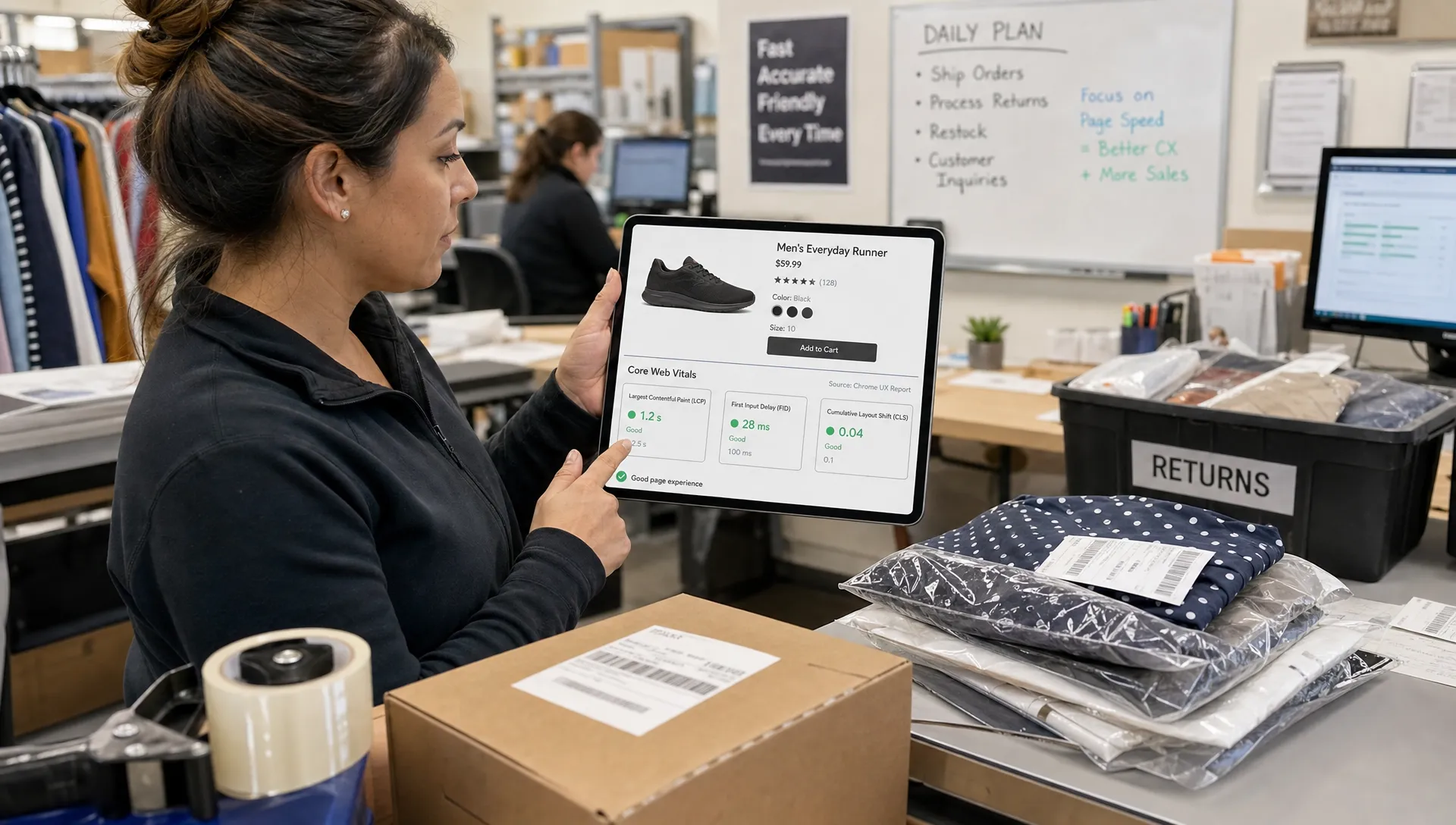
For retail leaders, google core web vitals are best understood as a shared language for shopper experience. They translate technical performance into three questions every commercial team cares about: can shoppers see the page quickly, can they interact without delay and does the page stay visually stable while they browse or buy?
That makes them more than an SEO checklist. In retail, a slow product detail page can waste paid media spend. A delayed cart interaction can create doubt at the exact point of purchase. A layout shift near a size selector, promo banner or checkout button can turn a confident shopper into an abandoned session.
The Executive Version: Page Experience Is a Revenue System
Retail websites are not brochures. They are transaction systems that carry acquisition spend, merchandising strategy, personalization, inventory signals, loyalty rules, analytics and payment flows. Each layer adds value, but each layer can also add friction.
At the leadership level, google core web vitals give teams a common way to discuss that friction without reducing the conversation to engineering jargon. They do not explain every conversion problem, but they help identify whether the digital experience is fast, responsive and stable enough for shoppers to continue.
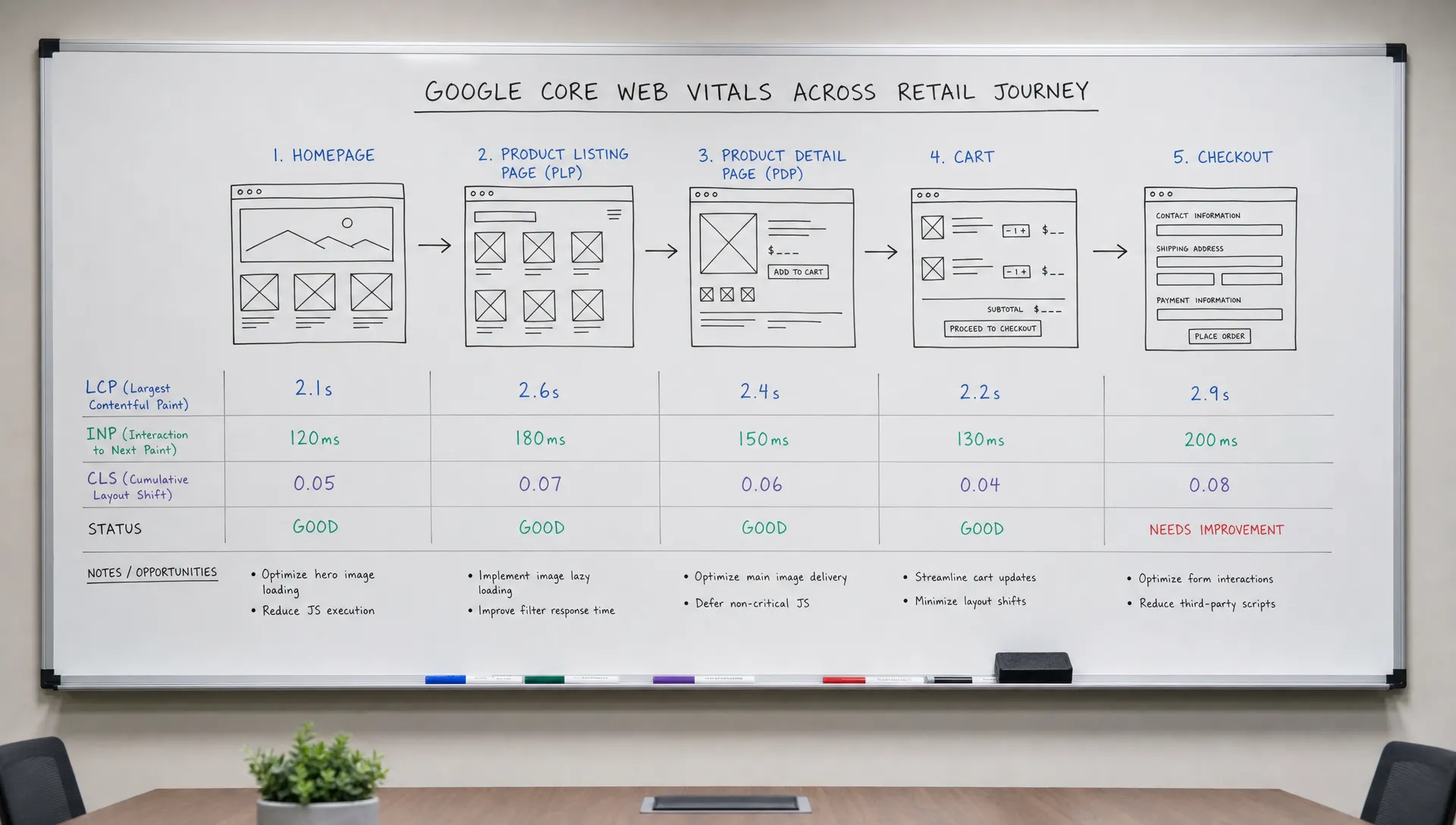
This matters because performance problems rarely appear evenly across a site. A homepage might pass comfortably while mobile product listing pages, search results or checkout steps struggle under the weight of scripts, images and third-party tools. If your team only reviews a single sitewide score, you can miss the templates that carry the most revenue.
For a deeper retail conversion view, Space Dinosaurs has covered what actually moves conversions in Core Web Vitals for ecommerce. This guide takes a broader leadership angle: what the metrics mean, how to interpret them and how to organize teams around them.
What Google Core Web Vitals Measure
Google Core Web Vitals focus on three parts of page experience: loading speed, interaction responsiveness and visual stability. Google evaluates these signals using real-user data where available, commonly at the 75th percentile, which means the experience of slower shoppers still matters.
| Metric | What it measures | Good threshold | Retail example |
|---|---|---|---|
| Largest Contentful Paint (LCP) | How quickly the main visible content loads | 2.5 seconds or less | Hero image, product image or main category content appears quickly |
| Interaction to Next Paint (INP) | How quickly the page responds after a user interaction | 200 milliseconds or less | Filter, add-to-cart, size selector or menu responds without a noticeable delay |
| Cumulative Layout Shift (CLS) | How much the page unexpectedly moves | 0.1 or less | Promo banners, review widgets and images do not push buttons or text around |
These are not vanity metrics. For retail teams, google core web vitals should be read as signals of shopper effort. The higher the effort, the more likely a customer is to hesitate, compare elsewhere or leave before the transaction is complete.
Largest Contentful Paint: Can Shoppers See the Main Content?
Largest Contentful Paint, usually shortened to LCP, measures when the largest meaningful element in the viewport becomes visible. On retail sites, that is often a product image, category banner, editorial tile or main content block.
Poor LCP often comes from oversized images, slow server response, render-blocking code or an overloaded front end. The leadership implication is straightforward: if shoppers wait too long before they can evaluate a product or category, the store is asking them for patience before it has created value.
Interaction to Next Paint: Does the Site Respond Quickly?
Interaction to Next Paint, or INP, replaced First Input Delay as a Core Web Vital because it better reflects responsiveness across the full visit. It looks at how long the page takes to show a visual response after interactions such as taps, clicks and keyboard inputs.
INP is especially relevant to modern retail experiences. Filters, predictive search, mini-carts, personalization components and chat widgets can all compete for browser resources. If a shopper taps “add to cart” and the page feels stuck, the commercial problem is not abstract performance. It is lost confidence.
Cumulative Layout Shift: Does the Page Stay Stable?
Cumulative Layout Shift, or CLS, measures unexpected movement. Retail pages are prone to it because they combine dynamic content, ads, reviews, recommendations, inventory messages, cookie banners and promotions.
A small shift might not sound serious in a boardroom, but it can be serious on a phone. If a checkout button moves just as a shopper taps, the experience feels broken. If a product image jumps because its dimensions were not reserved, the page feels less polished and less trustworthy.
Why These Metrics Matter Beyond Search
Google uses page experience signals as part of search ranking systems, but that is not the only reason leaders should care. In most retail organizations, the bigger opportunity is commercial discipline: reducing wasted traffic, protecting conversion journeys and creating a faster path from intent to purchase.
A better way to manage google core web vitals is to connect them to the business model. For a fashion retailer, mobile PDP performance may matter most during campaign drops. For grocery, search and reorder flows may carry the highest frequency. For B2B commerce, account login and quote workflows can be more important than the homepage.
The same principle applies outside classic retail. High-intent service journeys, such as a property transaction site with a flat-fee MLS listing model, still depend on fast listing pages, stable forms and responsive calls to action because the user is trying to complete a valuable task. Retail leaders can use that lens across every digital revenue path: identify the high-intent moment, then remove performance friction from it.
Where Retail Performance Problems Usually Hide
Most google core web vitals problems are not caused by one bad page. They come from patterns in templates, integrations and governance. Retail sites change constantly, so today’s pass can become next month’s regression after a campaign launch, personalization test or tag manager update.
Common sources include large uncompressed images, too much JavaScript, client-side rendering delays, unstable ad or promo slots, heavy analytics tags, duplicate third-party scripts and frontend code that was never retired after tests ended. None of these are unusual. The issue is whether the organization has a system for spotting and resolving them before they affect peak trading.
Performance issues also vary by device and network. Desktop teams often review pages from fast office connections, while revenue growth may depend on mobile shoppers using mid-tier devices on inconsistent networks. Leaders should ask for reporting that separates mobile from desktop and breaks results down by template type.
How Retail Leaders Should Govern Core Web Vitals
The most effective google core web vitals work is not a one-time cleanup. It is an operating habit that sits between product, engineering, UX, analytics and trading teams. Leaders do not need to diagnose every render-blocking script, but they do need to set priorities, fund the right fixes and hold the organization to a stable standard.
Tie Measurement to Templates and Journeys
A retail performance scorecard should start with the templates that influence revenue: product listing pages, product detail pages, search results, cart, checkout and key landing pages. Measuring only the homepage creates a false sense of progress.
Teams should combine field data from real users with lab testing that recreates shopper journeys. Field data shows what customers actually experience, while lab tests help diagnose the likely cause. If your team needs a practical testing approach, this guide on running a Core Web Vitals test on ecommerce templates explains how to move beyond single-URL checks.
Prioritize Fixes by Commercial Impact
Not every performance issue deserves the same urgency. A low-traffic content page with poor LCP may be less urgent than a slow mobile PDP template that receives paid campaign traffic every day. The best sequence is usually based on revenue exposure, shopper intent and implementation effort.
| Leadership question | Why it matters |
|---|---|
| Which templates carry the most revenue or assisted revenue? | Focuses investment where friction is most expensive |
| Which device segment is underperforming? | Prevents desktop averages from hiding mobile pain |
| Which third-party scripts are essential? | Reduces bloat without cutting necessary business tools |
| Which fixes can become platform standards? | Prevents the same issue from returning across future releases |
This is where commercial and technical teams need a shared backlog. Space Dinosaurs has also outlined performance optimization priorities for ecommerce teams, including how to rank fixes by business impact rather than technical neatness alone.
Build Performance Into Release Governance
Core Web Vitals should be part of how retail teams ship changes. New personalization rules, promo banners, analytics tags, checkout features and design components should be reviewed for performance risk before they go live.
That does not mean every release becomes slow or bureaucratic. It means the team has guardrails: image standards, script ownership, budget limits, template monitoring and rollback plans for regressions. Performance governance is most effective when it protects trading speed instead of slowing it down.
Common Misreads That Lead Teams Off Track
A google core web vitals report can be useful, but only if leaders avoid common misinterpretations. The first is treating green scores as proof that the retail experience is healthy. A site can pass the basic thresholds and still lose revenue through confusing UX, weak merchandising or poor checkout design.
The second is assuming the scores belong only to engineering. Development teams can improve loading and responsiveness, but marketing, analytics, merchandising, UX and product teams often create the conditions that make pages heavy or unstable. If every team can add scripts, banners or widgets but only one team is accountable for speed, performance will degrade.
The third is chasing perfect scores at the expense of commercial priorities. Some pages need rich media, personalization or complex interactions because those elements help shoppers decide. The leadership challenge is not to strip the experience bare. It is to make intentional tradeoffs and remove weight that does not earn its place.
Frequently Asked Questions
Are Google Core Web Vitals only an SEO issue? No. They are part of search page experience signals, but retail teams should also treat them as conversion and customer experience metrics. Slow, delayed or unstable pages affect paid traffic, email traffic, repeat visits and checkout confidence.
How often should retail teams review Core Web Vitals? Leadership teams should review trend-level performance at least monthly and during major releases, campaign periods or seasonal peaks. Product and engineering teams may monitor key templates more frequently, especially after launches that change scripts, media or frontend behavior.
Which metric usually matters most for ecommerce? It depends on the journey. LCP often matters on landing pages, PLPs and PDPs because shoppers need to see content quickly. INP can be critical on interactive templates with filters, carts and checkout actions. CLS matters anywhere unstable content can cause misclicks or loss of trust.
Can a redesign fix Core Web Vitals? Sometimes, but a redesign can also make them worse if performance is not part of the brief. Retail leaders should make speed, responsiveness and stability explicit acceptance criteria for new design systems, components and platform changes.
What should executives ask their teams first? Ask which revenue-critical templates are failing, which shopper segments are affected, what changed recently and which fixes can reduce risk fastest. Those questions turn a technical report into a business conversation.
Make Performance a Retail Growth Discipline
Google core web vitals give retail leaders a practical way to connect digital experience quality with commercial outcomes. They are not the whole story, but they expose friction that shoppers feel directly: waiting for content, tapping unresponsive controls and fighting unstable layouts.
For modern retail brands, the goal is not simply to pass a test. The goal is to build a site experience that can support campaigns, merchandising, personalization, AI-driven journeys and checkout at speed. Space Dinosaurs helps retail teams modernize e-commerce platforms, improve performance, strengthen UX and create operating models that keep digital revenue moving without unnecessary complexity.