

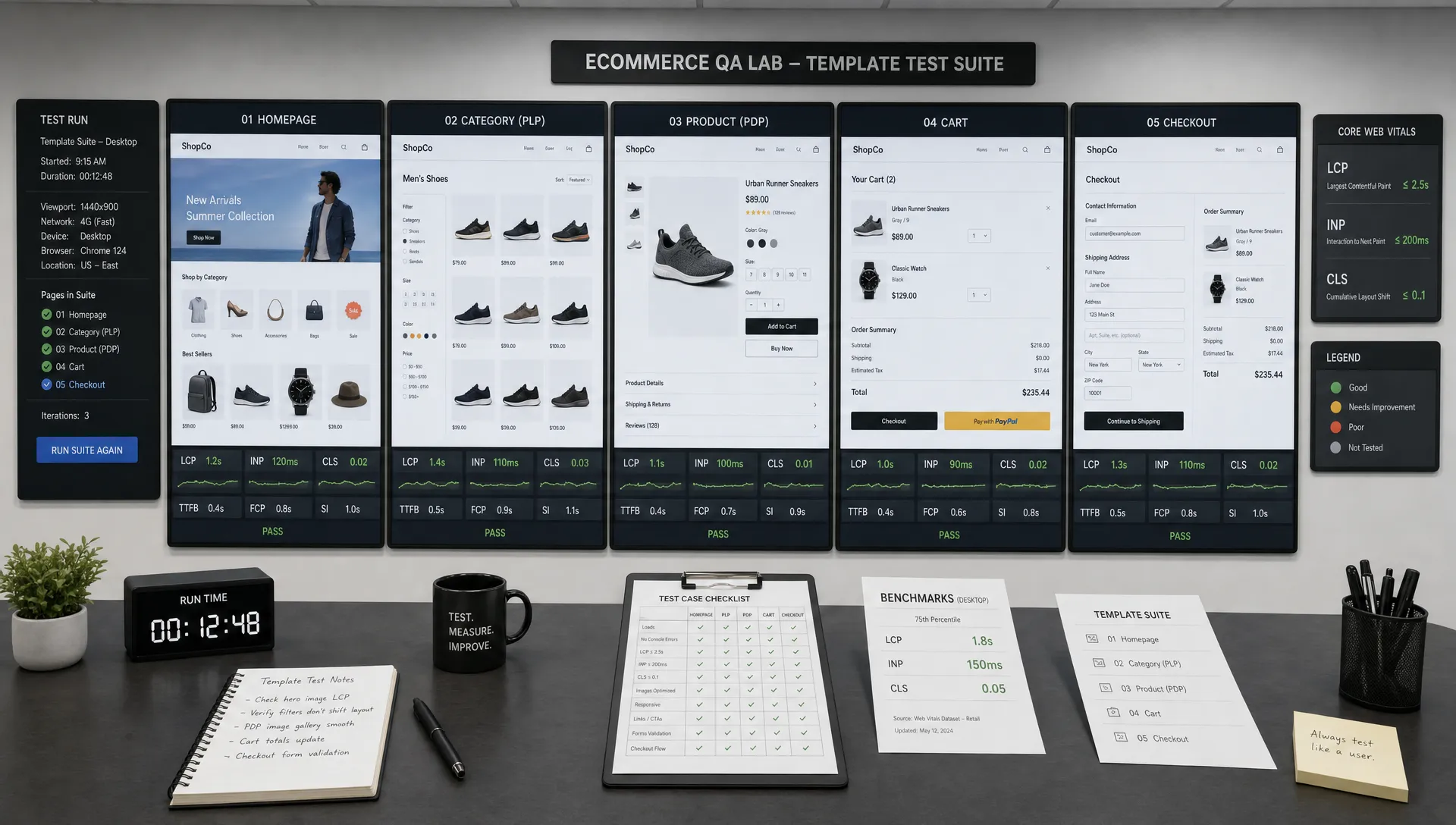
A Core Web Vitals test is only useful for ecommerce when it reflects how shoppers actually move through the store. Testing the homepage can tell you whether the brand entry point is healthy, but it will not reveal whether a product grid freezes during filtering, whether a product image delays LCP, or whether a promotion banner shifts the checkout button after a shopper is ready to pay.
For retail teams, the right unit of analysis is the template. A product detail page template might power thousands of SKUs. A collection template might handle paid traffic, SEO traffic, filtered browsing and seasonal campaigns. If one shared template is slow, the revenue impact can be much larger than a single failing URL.
This guide walks through a practical way to run a Core Web Vitals test on ecommerce templates, from choosing URLs to interpreting field data, running lab tests and prioritizing fixes that matter to conversion.
Why ecommerce Core Web Vitals testing should start with templates
Core Web Vitals are measured at the URL level and origin level in many tools, but ecommerce issues usually come from repeatable patterns. A template controls layout, scripts, image behavior, product data, reviews, personalization, promotions, analytics tags and front-end interactions. Those patterns repeat across many pages.
That is why a template-based test is more actionable than a page-by-page audit. Instead of saying “this URL is slow,” you can say “the PDP template has slow LCP on image-heavy products” or “the PLP template has poor INP when shoppers use filters on mobile.” Those findings are easier to assign, fix and validate.
Google’s Core Web Vitals guidance defines the current user experience metrics as Largest Contentful Paint, Interaction to Next Paint and Cumulative Layout Shift. Since INP replaced FID as a Core Web Vital in 2024, ecommerce teams should test real interactions, not only page load.
| Metric | What it measures | Good threshold | Ecommerce risk when it fails |
|---|---|---|---|
| LCP | How quickly the largest visible content element loads | 2.5 seconds or faster | Product images, hero banners or key content arrive too late |
| INP | How responsive the page is to user interactions | 200 ms or faster | Filters, variant selectors, add-to-cart buttons or checkout fields feel delayed |
| CLS | How much visible layout shifts unexpectedly | 0.1 or lower | Buttons, prices, forms or product details move while shoppers interact |
For a deeper look at how these metrics connect to revenue-critical ecommerce pages, Space Dinosaurs has a separate breakdown of Core Web Vitals for ecommerce and what actually moves conversions.
Define the ecommerce templates you need to test
Start by listing the templates that shape the shopping journey. Most ecommerce sites need more than one Core Web Vitals test because each template has different content, scripts and shopper behavior.
| Template | Why it matters | Common performance pressure |
|---|---|---|
| Homepage | Brand entry point and campaign traffic | Hero media, personalization, promo blocks, tracking tags |
| PLP or collection page | Product discovery and category SEO | Product grids, filters, sorting, lazy loading, merchandising rules |
| Search results page | High-intent discovery | Autocomplete, internal search scripts, dynamic results, zero-result states |
| PDP | Product evaluation and add-to-cart intent | Image galleries, reviews, recommendations, variants, inventory data |
| Cart | Final review before checkout | Shipping calculators, discounts, cross-sells, payment messaging |
| Checkout | Highest revenue proximity | Form responsiveness, validation, payment scripts, address tools |
| Content or buying guide | SEO and assisted conversion | Long-form content, embedded products, images, internal links |
Do not test only the cleanest version of each template. Ecommerce templates change under real conditions. A PDP with one image behaves differently from a PDP with ten images, reviews, variants, bundles and subscription options. A PLP with 12 products is not the same as one with infinite scroll, faceted filters and a sale banner.
A useful test set usually includes the highest traffic URL, the highest revenue URL and the most complex URL for each template. For example, a premium food retailer such as Beef Boutique may need to test product pages with rich photography, category pages for different meat types and promotional pages for bundled boxes because each layout can stress performance in a different way.
Build a Core Web Vitals test plan before opening tools
A reliable Core Web Vitals test begins with a simple plan. Without one, teams tend to compare unrelated URLs, mix desktop and mobile results, or chase tool scores that do not map to shopper behavior.
Your plan should answer five questions:
- Which templates are in scope?
- Which URLs represent each template?
- Which device class matters most for each template?
- Which shopper interactions need to be tested?
- Which business metric will guide prioritization?
For ecommerce, mobile should almost always be part of the first pass. Even when desktop conversion rates are higher, mobile often carries more discovery traffic, more paid clicks and more SEO sessions. If your analytics show desktop or tablet is commercially significant, test those separately rather than blending results.
It also helps to separate “load experience” from “interaction experience.” LCP and CLS often show up during load, while INP can surface after the page appears ready. A product page may load quickly but still respond slowly when the shopper opens the size selector, swipes the gallery, taps add to cart or changes quantity.
Step 1: Gather field data by template
Field data shows how real users experience the site. It includes real devices, networks, browsers, content variants, third-party scripts and user behavior. For Core Web Vitals, field data is usually the source of truth because Google evaluates user experience based on the 75th percentile of actual page views where data is available.
Use these sources first:
| Source | Best for | Limitation |
|---|---|---|
| Google Search Console Core Web Vitals report | Finding groups of similar URLs with poor mobile or desktop experience | It groups URLs, but you still need to map groups to ecommerce templates |
| PageSpeed Insights | Checking URL-level and origin-level CrUX data | Low-traffic URLs may not have enough field data |
| CrUX API or BigQuery | Larger-scale analysis across URL patterns | Requires more technical setup |
| Real user monitoring | Template-level tracking, checkout visibility and custom events | Requires implementation and governance |
When reviewing field data, do not stop at a red or green status. Export or document which URL group corresponds to which template. If Search Console shows a group of poor mobile URLs, inspect the examples and identify whether they are PDPs, PLPs, content pages or another route pattern.
If a template has too little field data, use a nearby proxy with caution. For example, a low-traffic seasonal collection page may not have its own CrUX data, but the main collection template might. Lab testing can then validate the specific seasonal version.
Step 2: Run lab tests with consistent conditions
Lab tests are controlled tests. They will not perfectly match real shoppers, but they are essential for debugging because they provide traces, waterfalls, screenshots and repeatable conditions.
For an ecommerce template audit, use a consistent setup across all representative URLs. PageSpeed Insights and Lighthouse are good starting points. WebPageTest can provide deeper waterfalls and filmstrips. Chrome DevTools Performance is useful when you need to investigate main-thread work behind INP problems.
Run each lab test more than once. Performance varies because of caches, networks, server response, third-party timing and test infrastructure. Three runs per URL is often enough for a first diagnostic pass. For high-stakes pages like checkout or peak-season landing pages, more repetitions can prevent teams from overreacting to an outlier.
Keep the test conditions consistent:
- Test mobile and desktop separately.
- Use the same tool, location and network profile when comparing templates.
- Test production or a production-like environment with comparable assets, tags and caching.
- Capture the tested URL, date, device setting, tool and run number.
- Save traces or reports so fixes can be compared against the same baseline.
Staging environments can be misleading. They may block indexing, miss CDN rules, skip third-party scripts, use different data or have weaker infrastructure than production. Staging is useful for pre-release checks, but final validation should happen in a production-like environment.
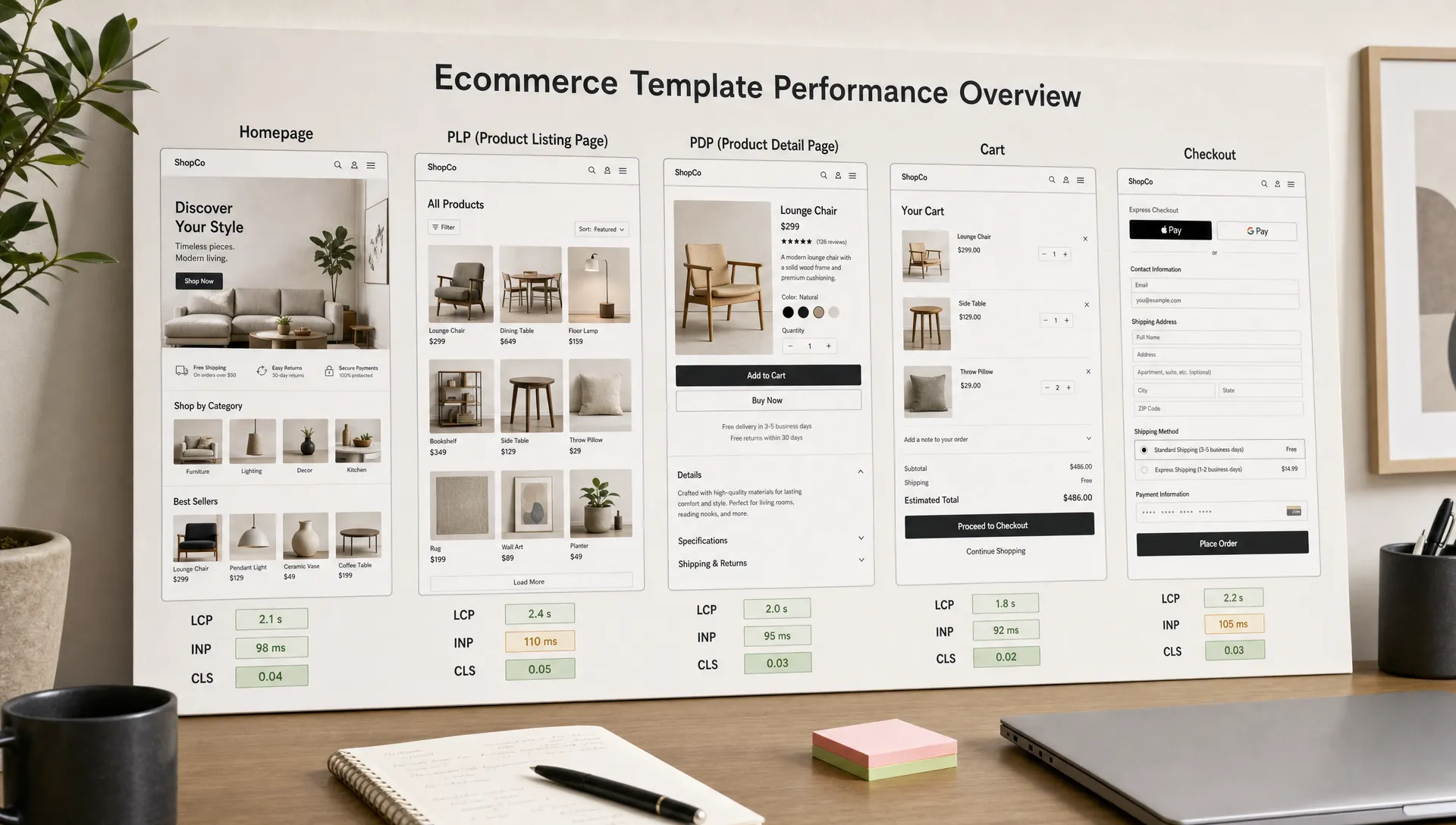
Step 3: Test the states shoppers actually see
Templates are not static. They render different states based on inventory, user type, promotions, location, cart contents, personalization and consent status. Many Core Web Vitals issues hide in those states.
A checkout form with address autocomplete may behave well for one country and poorly for another. A PDP may be stable when reviews are hidden but shift when reviews, recommendation carousels and financing messages load. A PLP may pass initial load and fail responsiveness after a shopper applies multiple filters.
| Template | States worth testing | Interaction to include |
|---|---|---|
| PLP | Default sort, filtered results, sale category, infinite scroll | Apply filter, change sort, scroll product grid |
| Search | Empty query, popular query, zero results, autocomplete | Type search term, select suggestion, submit query |
| PDP | In stock, out of stock, variant-rich, review-heavy, image-heavy | Change variant, open gallery, tap add to cart |
| Cart | Empty cart, single item, multi-item, discount applied | Change quantity, apply promo code, estimate shipping |
| Checkout | Guest, logged in, payment step, address validation | Type in fields, select shipping, continue to payment |
This is especially important for INP. A template can score well on load metrics and still create a poor shopper experience when JavaScript blocks interactions. Filters, product image galleries, cart drawers and checkout validation are common places to test manually with a performance trace running.
Step 4: Diagnose each metric differently
A good Core Web Vitals test does not end with a score. The goal is to isolate the cause by template and metric so engineering, UX, merchandising and analytics teams know what to change.
LCP diagnosis for ecommerce templates
For ecommerce, the LCP element is often a hero image, product image, category banner or large text block. In PageSpeed Insights or Lighthouse, identify the LCP element first. Then check whether the delay comes from server response, render-blocking resources, image delivery, client-side rendering or priority mistakes.
Common ecommerce LCP problems include oversized product images, lazy-loaded LCP images, unoptimized hero video, too much JavaScript before content renders, slow API calls and heavy tag managers. On product pages, a large gallery image is frequently the LCP element. On PLPs, a category banner or first row of product cards may be responsible.
INP diagnosis for ecommerce templates
INP is often the hardest metric for ecommerce teams because it is tied to interaction, not only loading. Start by identifying the interactions shoppers actually use on the template. Then record those interactions in Chrome DevTools Performance or use real user monitoring if available.
Look for long tasks, heavy hydration, expensive event handlers, large third-party scripts and UI updates that block the main thread. PLP filters, variant selectors, cart drawers, search autocomplete and checkout fields deserve extra attention because shoppers expect instant feedback in those moments.
CLS diagnosis for ecommerce templates
CLS often comes from late content insertion. On ecommerce sites, the usual suspects are banners, cookie notices, review widgets, recommendation carousels, payment messaging, fonts, image dimensions and sticky elements.
The fix is usually not “remove everything.” It is to reserve space, define dimensions, avoid injecting content above existing content and coordinate timing. A promotion banner may be commercially important, but it should not push the product title or checkout button after the shopper starts reading or tapping.
Step 5: Compare templates with benchmarks that match the funnel
The public Core Web Vitals thresholds are consistent, but ecommerce interpretation should account for funnel position. A poor CLS on checkout is usually more urgent than the same shift on a low-traffic blog article. A PLP with bad INP may suppress product discovery across thousands of sessions.
Use a template comparison table to make prioritization visible:
| Template | Mobile LCP | Mobile INP | Mobile CLS | Business priority | Next action |
|---|---|---|---|---|---|
| PDP | Needs improvement | Good | Poor | High | Fix image priority and reserve review widget space |
| PLP | Good | Poor | Good | High | Profile filter interaction and reduce main-thread blocking |
| Cart | Good | Needs improvement | Good | Very high | Audit cart drawer scripts and quantity update handlers |
| Content page | Poor | Good | Good | Medium | Optimize hero media and defer noncritical scripts |
The values above are examples of how to structure the analysis, not universal results. Your actual table should use your own field data, lab reports and revenue context. If you need a more detailed framework for targets, p75 interpretation and funnel-specific analysis, see Space Dinosaurs’ guide to Core Web Vitals benchmarks that matter for ecommerce.
Step 6: Prioritize fixes by conversion risk, not tool score
A perfect Lighthouse score is not the goal. The goal is a faster, more stable shopping experience that supports revenue. Prioritize the templates where performance friction overlaps with commercial intent.
A simple prioritization model can combine:
- Template traffic volume
- Revenue proximity in the funnel
- Severity of the Core Web Vitals gap
- Number of URLs affected by the template
- Engineering effort required to fix the issue
- Confidence that the issue affects shopper behavior
This prevents teams from spending a sprint improving a low-impact page while a shared PDP or PLP issue continues to affect conversions. It also helps resolve tradeoffs. For example, removing every third-party script may not be realistic, but delaying noncritical scripts on PDPs might improve LCP and INP without losing essential analytics.
If your team already suspects that speed is leaking revenue, a focused diagnostic like a performance and revenue leak audit can help connect Core Web Vitals findings to funnel analytics, merchandising behavior and conversion data.
Step 7: Create template-level performance budgets
Once you know the baseline, turn your findings into guardrails. Performance budgets keep the same template from regressing after a redesign, app installation, tracking change or seasonal campaign.
Core Web Vitals budgets should be outcome-based, but engineering teams also need technical limits they can check during development. Start with the Core Web Vitals thresholds, then add template-specific constraints based on your stack.
| Budget type | Example guardrail | Why it helps |
|---|---|---|
| Core Web Vitals | PDP mobile LCP should stay within the good threshold at p75 | Keeps the shopper-facing outcome visible |
| JavaScript | Limit growth of critical JS on PLP and PDP templates | Protects INP and load time |
| Images | Require explicit dimensions and optimized delivery for hero and product images | Protects LCP and CLS |
| Third-party scripts | Review new tags before they load on cart or checkout | Reduces main-thread blocking and reliability risk |
| Layout stability | Reserve space for reviews, promo messages and recommendation modules | Prevents late shifts on revenue pages |
Avoid copying generic budgets from another site. A composable storefront, a Shopify theme, a headless build and a custom platform will have different constraints. The right budget is strict enough to prevent regressions and realistic enough that teams will actually use it.
Step 8: Retest after fixes and monitor continuously
After shipping a performance fix, rerun the same Core Web Vitals test plan. Compare the same templates, URLs, tools, devices and scenarios. If you changed test conditions, document the difference so stakeholders do not mistake noise for progress.
Lab improvements can appear immediately, but field data moves more slowly because it reflects real users over time. PageSpeed Insights and Search Console may take time to show the full impact. For business-critical templates, real user monitoring can shorten the feedback loop by showing template-level data soon after deployment.
Retesting should answer three questions:
- Did the target metric improve on the affected template?
- Did the fix create a regression on another metric or template?
- Did conversion, engagement or funnel progression move in the expected direction?
The third question matters. A Core Web Vitals fix that improves LCP but breaks merchandising logic is not a win. Ecommerce performance work should be validated with both technical metrics and shopper outcomes.
Common mistakes when testing ecommerce templates
The most common mistake is treating a single PageSpeed Insights report as a complete audit. It is a useful snapshot, not a full template diagnosis. Ecommerce teams also lose time when they compare a desktop homepage score to a mobile PDP problem or treat origin-level data as proof that every template is healthy.
Another mistake is ignoring third-party and operational changes. Tag manager updates, personalization tests, review widgets, payment options, consent tools and promotional banners can all affect Core Web Vitals. Performance governance should include the teams that add those elements, not only the developers who optimize code.
Finally, many teams test before a release but do not monitor after launch. Ecommerce templates evolve constantly. A campaign landing page, holiday theme, new payment method or merchandising app can change the experience overnight. The best Core Web Vitals process is recurring, template-based and tied to revenue reporting.
Frequently Asked Questions
What is the best tool for a Core Web Vitals test on ecommerce templates? Use field data first, then lab tools for diagnosis. Search Console and PageSpeed Insights help identify real-user issues, while Lighthouse, WebPageTest and Chrome DevTools help isolate causes. For checkout and low-traffic templates, real user monitoring is often the most useful source.
How many URLs should I test per ecommerce template? Test at least a few representative URLs per template: a high-traffic example, a high-revenue example and a complex example. For PDPs and PLPs, large catalogs may need more samples because product data, filters, media and merchandising modules can change performance significantly.
Should I test mobile or desktop first? Start with the device that carries the most business risk. For many ecommerce brands, that is mobile because it often drives discovery, paid traffic and SEO visits. Desktop should still be tested separately when it contributes meaningful revenue or has different layout behavior.
Can Core Web Vitals be tested on checkout pages? Yes, but standard public tools may not reach authenticated or payment-step URLs. Use controlled lab testing with safe test flows, production-like staging and real user monitoring where appropriate. Avoid exposing sensitive customer or payment data during testing.
How often should ecommerce teams run Core Web Vitals tests? Run a template-level test before major releases, after adding third-party scripts or apps and during peak trading preparation. High-revenue templates should also be monitored continuously so regressions are caught before they affect a large share of shoppers.
Turn template testing into faster ecommerce growth
Core Web Vitals testing becomes more valuable when it is connected to the way ecommerce sites are built, merchandised and optimized. The practical path is simple: group pages by template, test real shopper states, diagnose each metric separately, prioritize by conversion risk and monitor after every meaningful change.
Space Dinosaurs helps retail teams modernize ecommerce experiences with performance optimization, UX, analytics and AI-enabled engineering. If your storefront is growing more complex and performance fixes are getting harder to prioritize, talk to Space Dinosaurs about building a faster, more stable retail experience around the templates that matter most.