

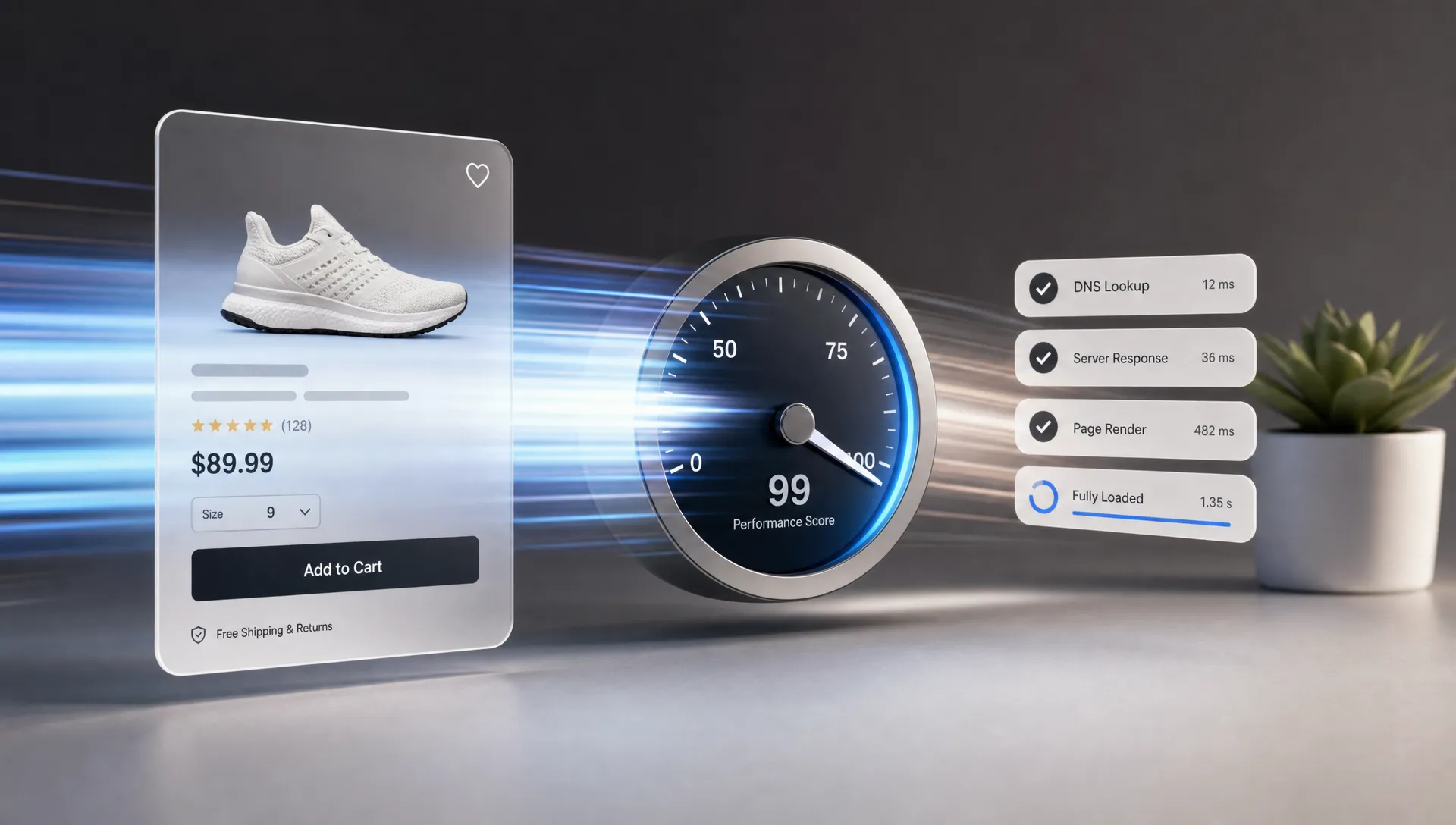
Retail teams rarely lose revenue in one dramatic moment. More often, it leaks away in seconds and milliseconds. A category page hesitates on mobile. A product image delays the decision. A filter interaction feels sticky. A checkout button takes just long enough for doubt to creep in.
For e-commerce retail teams, storefront speed is no longer a technical polish item. It is a commercial requirement that affects conversion, paid media efficiency, SEO visibility, merchandising agility, and customer trust. A faster storefront does not just make the site feel better. It gives the entire retail organization more room to grow.
The challenge is that modern retail sites are doing more than ever. They support richer product media, personalization, analytics, loyalty, reviews, promotions, payments, search, and increasingly AI-driven experiences. Every new capability can add value, but every layer can also slow the storefront if performance is not designed into the operating model.
Storefront speed is the first customer experience
Before shoppers read product copy or compare sizes, they experience the speed of the storefront. That first impression shapes whether the brand feels premium, reliable, and easy to buy from.
This matters most on mobile, where many retail journeys start and where network conditions are inconsistent. A shopper may come from a paid social ad, open a product page while commuting, compare prices in a store aisle, or return from an abandoned cart email. If the page stalls, the team may never see that intent turn into a measurable sale.
Google’s Core Web Vitals framework gives retail teams a practical language for speed and experience quality. Largest Contentful Paint shows how quickly the main content appears. Interaction to Next Paint measures responsiveness. Cumulative Layout Shift captures visual stability. These metrics matter because they map directly to moments shoppers notice.
A fast storefront reduces friction before the shopper has time to name it. A slow one forces every promotion, content asset, and personalization decision to work harder.
The hidden cost of a slow storefront
Slow storefronts are often treated as an engineering problem, but the cost spreads across the full retail team. Marketing pays more to bring shoppers into a weak experience. Merchandising loses impact because high-priority products appear late or filters lag. UX teams see more abandonment in places that may look fine in static designs. Leadership sees conversion pressure without a single obvious culprit.
| Storefront issue | Shopper impact | Business impact |
|---|---|---|
| Slow product listing pages | Browsing feels heavy and product discovery takes longer | Lower engagement with categories and campaigns |
| Delayed product images | Shoppers hesitate before evaluating value and fit | More exits before add to cart |
| Laggy filters or swatches | The site feels unresponsive during decision-making | Reduced interaction with key conversion tools |
| Layout shifts | Buttons, prices, and product details move unexpectedly | Lower trust and more accidental taps |
| Slow checkout steps | Purchase momentum weakens near the finish line | Higher abandonment and weaker revenue capture |
The effect is especially painful during high-traffic windows. Peak retail moments amplify every weakness in the storefront. A slow page on an ordinary Tuesday is a missed opportunity. A slow page during a product drop, sale event, or holiday campaign can mean wasted media, frustrated loyal customers, and operational stress across support and engineering.
Speed also affects perception. Shoppers may not know why a site feels difficult, but they do remember the experience. In categories where products are easy to compare, a slow storefront can make a competitor feel simpler, even when the product assortment is weaker.
Why retail storefronts keep getting slower
Retail storefronts usually become slow through accumulation, not neglect. Each team adds something useful. A new testing platform helps experimentation. A review widget builds confidence. A personalization tool improves relevance. A product video tells the story better. A tag supports attribution. Over time, the storefront becomes crowded with scripts, media, and dependencies.
Common sources of slowdown include:
- Oversized images and videos that are not optimized by device or context
- Third-party scripts that load on every page, even where they do not influence conversion
- Large JavaScript bundles that delay interactivity on mobile devices
- Complex API waterfalls across search, pricing, inventory, recommendations, and promotions
- Legacy templates that were never designed for today’s content, traffic, or personalization needs
- Release processes that check visual output but do not enforce performance budgets
Composable architectures can help teams modernize, but they do not automatically make a storefront fast. A composable stack still needs disciplined frontend engineering, API design, caching, observability, and UX prioritization. The same is true for AI-powered commerce. Recommendations, chat, guided selling, and dynamic content must be fast enough to support the buying journey, not interrupt it.
The definition of storefront performance is also expanding. Many retail experiences now connect web, mobile, in-store devices, kiosks, and operational systems. When digital commerce touches physical infrastructure, teams may need specialized partners in adjacent domains, such as power electronics and embedded systems specialists, while still holding the customer-facing journey to the same speed and reliability standards.

Faster storefronts protect revenue across the funnel
Speed matters because it compounds. A small improvement on a high-traffic product listing page affects more sessions than a redesign of a rarely visited page. A faster product detail page can improve add-to-cart behavior across every campaign. A smoother checkout improves the value of all upstream traffic.
This is why performance should be evaluated by template and journey stage, not only by homepage score. Retail teams need to understand how speed affects product listing pages, product detail pages, cart, checkout, account pages, and campaign landing pages. The homepage matters, but it is often not where the buying decision happens.
A practical performance strategy connects speed metrics to commercial outcomes. If LCP improves on mobile product pages, does add-to-cart rate change? If filter interaction becomes faster, do shoppers view more products? If checkout responsiveness improves, does abandonment drop? Space Dinosaurs explores this relationship in more depth in its guide to Core Web Vitals for Ecommerce.
Faster storefronts also improve paid media efficiency. When traffic from paid search, social, affiliates, and email lands on a slow page, the team pays for intent that may never reach a product decision. Improving speed can make existing spend work harder without increasing budget.
Organic search is affected too. Search engines want to send users to pages that are useful and accessible. Performance alone will not replace strong merchandising, technical SEO, and helpful content, but slow templates can limit the value of otherwise strong retail pages. For e-commerce retail teams managing thousands of URLs, performance issues can scale across entire categories.
The metrics retail teams should watch
A single page speed score is not enough to run a retail operation. Teams need a measurement model that combines user experience, technical diagnostics, and business KPIs.
| Metric | What it tells retail teams | Why it matters |
|---|---|---|
| Largest Contentful Paint | How quickly the main visible content loads | Affects the moment shoppers feel the page is usable |
| Interaction to Next Paint | How responsive the page is after user input | Impacts filters, swatches, menus, and checkout actions |
| Cumulative Layout Shift | Whether content moves unexpectedly | Protects trust and reduces accidental interactions |
| Time to First Byte | How quickly the server starts responding | Helps identify backend, caching, or platform bottlenecks |
| JavaScript execution time | How much work the browser must process | Often explains slow mobile interactivity |
| Conversion by template | How performance correlates with buying behavior | Connects technical work to revenue outcomes |
The most useful view combines real user monitoring with funnel analytics. Lab tests are valuable for diagnosis, but field data shows what actual shoppers experience across devices, locations, and connection types. A fast desktop experience in the office can hide painful mobile performance for customers.
Teams should also segment performance by traffic source and campaign. A product page may perform well in general but poorly when a promotion drives sudden mobile traffic. A landing page may test fast in isolation but slow down when marketing tags, personalization, and A/B testing all activate together.
Where e-commerce retail teams should focus first
The best speed programs start with commercial prioritization. Retail teams do not need to fix every template at once. They need to identify where performance improvements have the highest chance of influencing revenue, customer experience, and operational stability.
Start with revenue-critical journeys. Product listing pages, product detail pages, cart, and checkout usually deserve attention before lower-impact pages. Then review the pages that receive paid media traffic, seasonal campaign traffic, and organic search demand.
Next, reduce avoidable weight. Images should be served in modern formats, sized appropriately, and loaded according to priority. Scripts should be audited for actual value. If a tag is not supporting measurement, conversion, compliance, or customer experience, it should not automatically load everywhere.
Frontend architecture also matters. Retail teams should watch for bloated bundles, unnecessary client-side rendering, duplicate components, and slow hydration patterns. A modern experience can still feel slow if the browser is doing too much work before the shopper can interact.
Release governance is where performance becomes sustainable. Teams should define budgets for page weight, JavaScript, image size, and Core Web Vitals thresholds. Performance should be checked before major launches, not after a campaign underperforms. For more implementation ideas, Space Dinosaurs has a practical breakdown of website speed optimization fixes that can improve conversion-focused journeys.
Faster storefronts make AI commerce more effective
AI-driven retail experiences depend on trust and timing. A recommendation carousel that appears after the shopper has moved on adds little value. A conversational commerce assistant that delays the page can create more friction than confidence. A personalized product module that shifts the layout may hurt the experience it was meant to improve.
This does not mean retail teams should avoid AI. It means AI features need a performance strategy. Data, models, APIs, and frontend components should be designed around the shopper’s moment of intent. The right question is not only what can we personalize, but how quickly can we deliver it without slowing the path to purchase?
Fast storefronts create a better foundation for AI because they give teams cleaner signals. When a site is slow, analytics can blur the difference between product hesitation and technical frustration. When the experience is responsive, teams can more confidently evaluate whether personalization, search, recommendations, or UX changes are actually moving behavior.
Speed is an operating model, not a one-time project
A faster storefront is not something retail teams finish once. It requires ongoing discipline because the site keeps changing. New campaigns launch. New vendors are added. New product media arrives. New markets require new content, payment methods, and compliance layers.
That is why performance ownership should be cross-functional. Engineering can improve architecture, but marketing controls many tags. Merchandising controls content density and product media priorities. UX influences interaction patterns. Analytics determines whether teams can connect speed to outcomes. Leadership sets the standard that performance is part of retail quality.
The strongest teams make speed visible in regular decision-making. They review performance before campaign launches. They monitor Core Web Vitals after releases. They test on mobile devices that resemble real customer conditions. They treat speed as a shared retail KPI, not an isolated technical metric.
Frequently Asked Questions
How fast should an e-commerce retail storefront be? A good baseline is to meet Google’s Core Web Vitals thresholds, including LCP of 2.5 seconds or less, INP of 200 milliseconds or less, and CLS of 0.1 or less. Retail teams should also measure conversion and engagement by template, because a technically passing page can still underperform commercially.
Does storefront speed matter more than UX design? Speed and UX design work together. A visually polished experience can still fail if it loads slowly or responds poorly. Likewise, a fast site still needs clear navigation, useful product information, and a smooth checkout.
Should retail teams rebuild their storefront to improve speed? Not always. Many teams can make meaningful gains by optimizing media, reducing scripts, improving caching, and tightening release governance. A rebuild may make sense when platform constraints, legacy code, or architectural complexity prevent sustainable improvements.
Who should own storefront performance? Engineering should not own it alone. The best results come from shared ownership across engineering, marketing, merchandising, UX, analytics, and leadership. Each team influences the weight, responsiveness, and commercial performance of the storefront.
Build a storefront that keeps up with your retail ambition
If your storefront is slowing campaigns, conversion, or your roadmap for AI-powered retail experiences, performance needs to become part of the growth strategy. Faster pages help shoppers move with less friction, help teams learn from cleaner data, and help every channel work harder.
Space Dinosaurs helps retail brands modernize e-commerce experiences through AI-enabled engineering, human-centered UX, performance optimization, analytics, and ongoing improvement. If your team is ready to turn storefront speed into a stronger retail operating advantage, start with the parts of the journey where speed and revenue meet.